
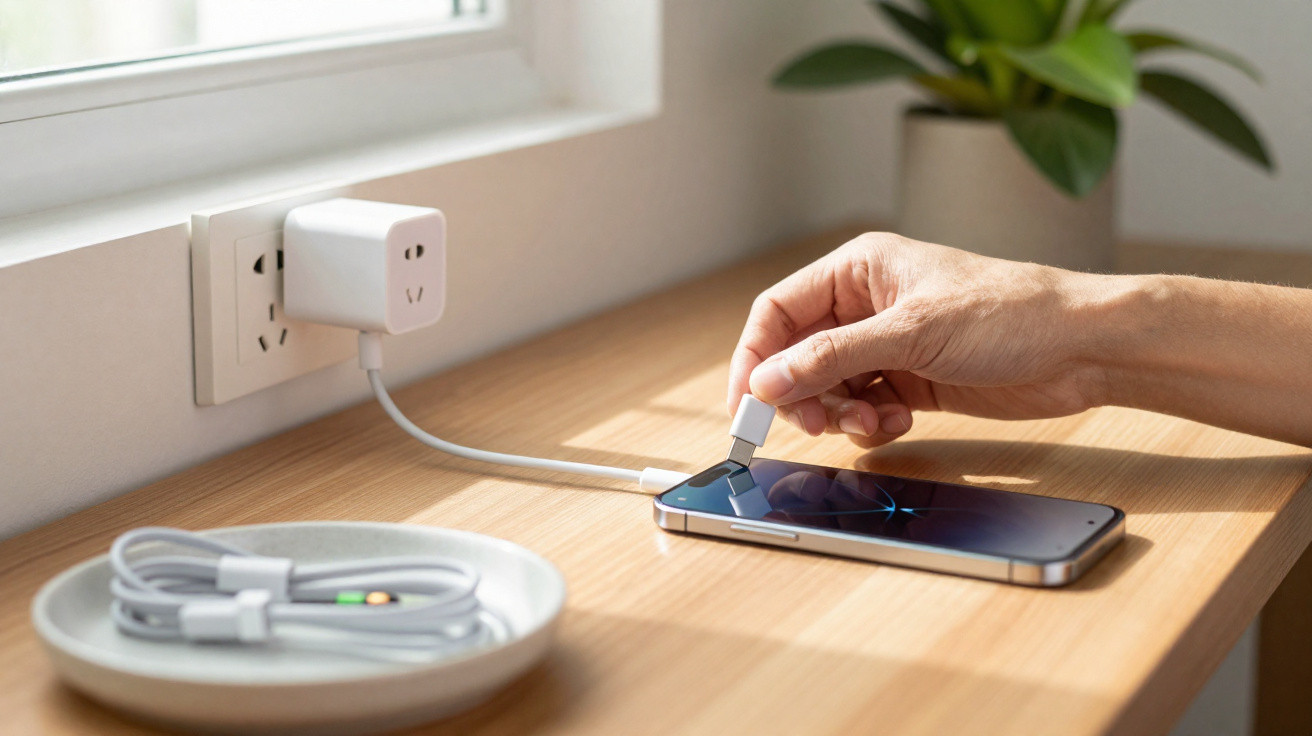
Connecting your phone to the charger can feel like a reflex, yet the sequence you use can help lower the chances of a loose connection, reduce wear on the connector, and limit exposure to minor electrical fluctuations. The most widely recommended approach is to plug the charger into the wall socket first, then connect the cable to the phone; when unplugging, do the reverse: disconnect the cable from the phone first, and only then remove the charger from the socket.
Why plug the charger into the socket first?
If the charger is connected to the mains before the phone, it gets a brief moment to settle its power output before it starts supplying the device. With modern chargers this stabilisation happens quickly, but it can still mean your phone is not the first point of contact if there is a small initial surge or wobble.
This precaution matters most when you are dealing with an older charger, a loose wall socket, a worn cable, or a dubious adapter. Today’s phones include protection circuitry, but that does not make it safe to use damaged, incompatible, or low-quality accessories.
What can happen if you do it the other way round?
Connecting the cable to the phone first and only then plugging the charger into the socket does not usually damage the handset immediately. The issue is the repeated habit under poor conditions: small spikes, tiny sparks at the socket, intermittent contact, and unstable voltage can contribute to electrical stress over time.
- The USB-C or Lightning connector can take more strain from tugs and misaligned insertions.
- Cables bent sharply near the tip can create poor contact while charging.
- Loose sockets may produce small sparks when the plug is inserted.
- Uncertified chargers increase the risk of overheating and faults.
What is the correct order for unplugging?
When charging is finished, it is best to remove the cable from the phone first, holding the rigid plug rather than pulling on the wire. After that, unplug the charger from the wall socket if you will not be using it.
This order mainly safeguards the phone’s connector. The most common damage is mechanical rather than electrical: sideways pulls, forcing the plug in, dust or debris in the charging port, and using the cable while the phone is resting at an awkward angle.
How to charge without damaging the battery, cable, and charging port
The connection order helps, but it is not a complete solution. Safer charging also depends on using compatible accessories, allowing ventilation, keeping temperatures under control, and ensuring a clean fit between the cable and the device.
- Use a certified charger and cable, or ones supplied by a reputable brand.
- Avoid charging your phone under a pillow or duvet, or in direct sunlight.
- Do not force the cable if it does not slide in easily.
- Clean the port only using a safe method, and never with metal objects.
- Replace cables with a bent tip, exposed wiring, or unusual heat.
- Enable optimised charging if your system offers the feature.
The best habit is to reduce electrical and mechanical strain
To charge more safely, follow a straightforward sequence: charger into the socket, cable into the phone, charge in a well-ventilated spot, then disconnect carefully by the connector. This routine reduces exposure to initial fluctuations and helps prevent physical wear to the charging port.
Most importantly, do not treat a charger as risk-free. If an accessory gets excessively hot, makes noise, smells burnt, produces sparks, or charges intermittently, stop using it. Good charging starts with a stable wall socket, continues with an intact cable, and ends with a phone connected without sideways pressure on the connector.



Comments
No comments yet. Be the first to comment!
Leave a Comment