
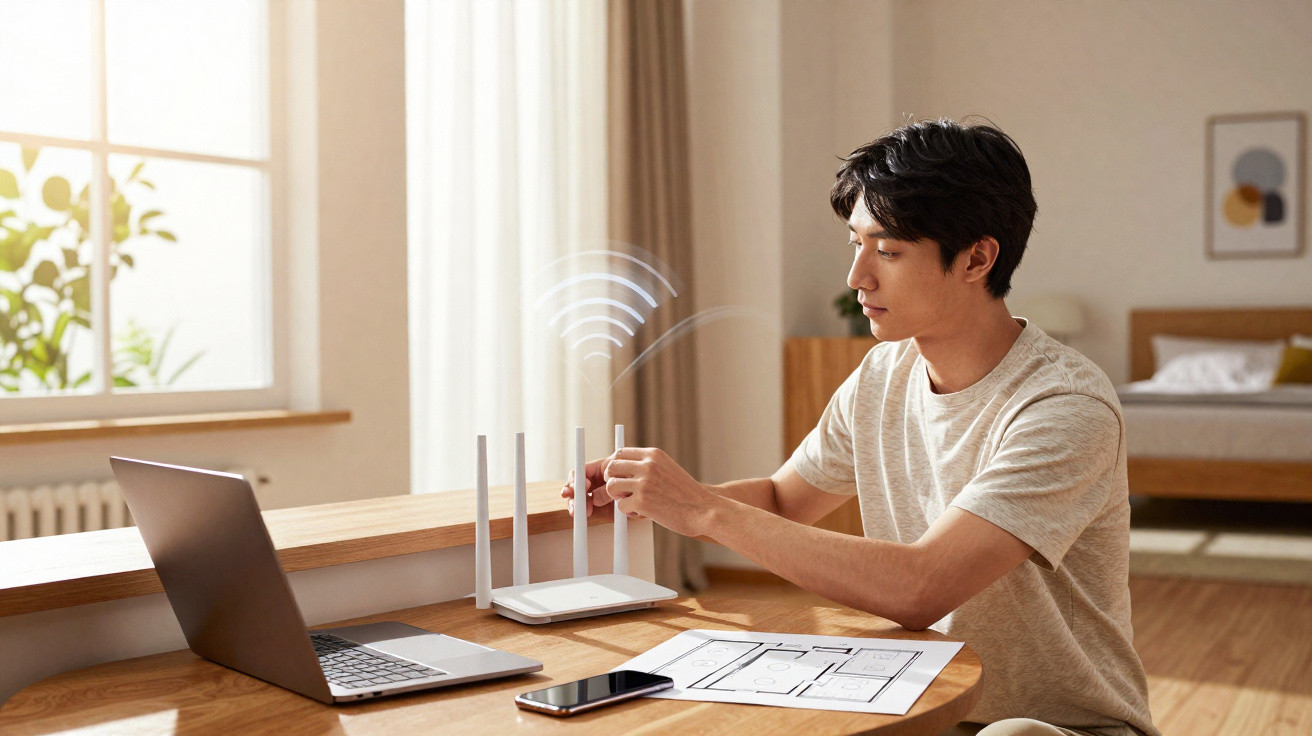
The loading spinner pops up, your audio drops out, and on the far side of the call a stranger is silently deciding whether it’s your broadband - or you - that’s unreliable. Meanwhile, in the next room, the Wi‑Fi box sits dutifully behind the television, partly lost in a knot of leads and next to a dusty houseplant that gave up years ago. You’re paying for “fibre-fast speed”, yet the bedroom still feels like a digital dead zone.
Most of us respond in the same predictable way: blame the provider, threaten to switch, maybe reboot the box and cross our fingers. Almost nobody checks the most ordinary factor of all - the exact spot the router occupies in the room. It’s an object you barely notice, yet it dictates so much of your online life.
Shift it by a few centimetres and you can sometimes gain more than you would from a pricier package.
The invisible map of your Wi‑Fi
In any block of flats, the list of nearby Wi‑Fi networks reads like a row of tiny private worlds: “DadNet”, “House of Cats”, “No Free Internet Here”. Behind every name, there’s a small box trying to push radio waves through walls, doors, pipes, mirrors and… human bodies. You can’t see it, but your router is sketching an invisible map across your home - bright areas where the signal thrives, and dull corners where it collapses.
Routers are often installed wherever it’s quickest for the engineer: by the first usable socket, frequently down near the floor, tucked under a TV unit, or concealed in a hallway cupboard. It looks tidy. It also crushes performance. Wi‑Fi doesn’t like being pressed up against thick masonry, metal frames, or large electronics. Once you start thinking of your home as an obstacle course the signal must traverse, that cramped corner stops looking “neat” and starts looking like a trap.
When that idea lands, the question stops being “Why is my Wi‑Fi bad?” and becomes “Where am I forcing my Wi‑Fi to fight to get through?”
In Paris, I met a remote worker who was convinced she needed a mesh system for her long, narrow flat. At the far end, her bedroom showed zero bars; in the living room beside the router, everything was flawless. She’d already been pricing repeaters. Before spending anything, we tried one simple test.
We unplugged the router from behind the TV stand - where it was wedged between a pile of magazines and a speaker - and moved it two metres away onto a sideboard, with open space around it. Then we turned it so the antennas ran along the hallway rather than into a wall. Ten minutes later, stretched out on the same bed with the same phone, she ran a speed test: the download speed had jumped by a factor of four. No new kit. No new contract. Just smarter placement.
Examples like that are more common than you’d think. In a 2023 survey by a British broadband comparison site, 63% of people said they had never moved their router after it was installed. Of those who had, around half said they noticed a clear improvement - often in rooms they assumed were beyond saving. Wi‑Fi isn’t mystical. It’s governed by fairly dull physics. But when you apply physics well, it can feel like magic.
The reasoning is almost embarrassingly simple. Wi‑Fi is radio. Those waves spread in many directions, then weaken, bounce, and scatter when they meet obstacles. If the source is low down, blocked by a television and hemmed in by a metal shelf, the waves begin their journey already compromised. Each additional wall and every reflective surface - mirrors, fridges, even large aquariums - bends, distorts, or absorbs part of the signal.
Picture the router as a tiny, friendly radio station. Put the transmitter in a basement and coverage suffers. Lift it, move it nearer the centre, and give it clearer “line of sight” to where you actually live and work, and the usable area grows - not perfectly and not everywhere, but far better than when it’s suffocating in dust and cables.
The subtlety is that Wi‑Fi doesn’t radiate as a perfect sphere. Built-in antennas often create something closer to a flattened doughnut of coverage. Stand that “doughnut” in the right orientation and closer to where your devices sit, and you effectively extend your network without spending a penny.
The simple art of moving your router
Begin with a single, practical question: where is the true centre of your connected life? For many households it’s no longer the TV area, but the spot where work, streaming or gaming actually happens - an office nook, the sofa, the kitchen table, a teenager’s bedroom. Once you’ve identified it, imagine a straight line between that spot and your current router location. If that line passes through three thick walls and a fridge, you’ve probably found the culprit.
The fastest improvement is usually to raise the router and nudge it closer to the middle of the home, even if only a little. Aim for a shelf at chest or head height rather than the floor. Leave at least a hand’s width of clear space on every side. If it’s close to a wall, angle it so the “front” faces the largest open area rather than firing into brick. And if your router has external antennas, don’t just aim them all at the ceiling: a useful rule of thumb is one vertical and one horizontal, helping cover different angles and device orientations.
Most of us have been trained to hide routers. They get pushed behind books, buried under boxes, or shut inside TV furniture with doors. That’s like trying to help it by squeezing the life out of it. Plastic, wood and glass all soak up some signal. Large metal items - radiators, ovens and refrigerators - behave like shields or unpredictable mirrors, throwing waves back in messy patterns. That’s how you end up with the strange patch where moving a laptop by ten centimetres changes everything.
On a suburban street in Manchester, a gamer spent months convinced his ISP was throttling him. Lag spikes, rubber-banding, rage. His router was perched on the kitchen counter, jammed between a microwave and a tall metal bread bin. When he played, his partner often reheated leftovers. Each burst of microwaves - in the same frequency neighbourhood as Wi‑Fi - sent his ping through the roof. The solution was mundane: he relocated the router to a high shelf in the hallway, threaded the cable through a gap by the door frame, and those spikes almost vanished.
None of this requires wizardry. It’s simply recognising how everyday life can physically clash with your signal. If the router is parked beside baby monitors, cordless phones, Bluetooth speakers, or an old wireless printer, they’re all competing on similar radio channels. Creating a bit of distance - or moving the noisiest devices further away - gives the router more room to “speak” clearly.
Let’s be honest: nobody actually does this day in, day out. You plug something in once and then it disappears from your mind. But in the same way you’d shift a lamp when a corner feels gloomy, relocating the router when your connection drags is just another small household tweak. No app, no subscription, no long tutorial video - just rearranging what you already own.
Practical moves you can try tonight
If you want a method you can run through in a single evening, do this. First, choose the one room where you most want strong Wi‑Fi. Stand there with your phone and run a speed test, or at least note the signal bars and how long a video takes to start. Then head back to the router and “unclutter” it: remove any books, boxes, photo frames, or anything piled nearby. If possible, raise it to roughly waist-to-chest height.
After that, move it in small steps towards your priority room. Even one or two metres can make a difference. Each time you adjust the position, return to your chosen spot and test again. It’s simple A/B testing: move, measure, refine. If your router has antennas, keep one upright and set another at a right angle, so devices held in different orientations can catch the signal more reliably. In a multi-storey home, placing the router roughly between floors - for example, on a high shelf on the ground floor - often spreads coverage better than leaving it in a basement or an attic.
A few familiar mistakes show up everywhere. Hiding the router in a closed cabinet “because it’s ugly”. Putting it right beside a thick external wall so half the signal escapes outdoors instead of filling your rooms. Leaving it on the floor behind a sofa, where people constantly block and absorb the waves. On a bad day, your own legs become the barrier.
Then there’s the habit of stacking everything in one corner: modem, router, cordless base station, TV box, console, soundbar, smart speaker - all crammed under the television. It looks orderly. It’s also ideal for interference and heat build-up. Try thinking less like an interior designer and more like someone giving each device a little breathing space. Spread items out across the surface, leave gaps, and accept slightly messier cables if it means signals travel more freely. Your Wi‑Fi doesn’t care about Pinterest aesthetics.
“The router is the heart of the digital home, yet it’s often treated like a dust-collecting organ we stuff under the furniture,” laughs a network technician I met. “The first thing I do in any house is pick it up, walk around, and watch people’s faces when their dead zones suddenly light up.”
If you’re tempted to tuck the router away again, keep this quick checklist in mind:
- Height over hiding: a shelf beats the floor - and any cupboard.
- Think centre, not corner: place it nearer where life (and streaming) actually happens.
- Away from metal and microwaves: keep distance from fridges, ovens, radiators and oversized speakers.
- Give it air: a small “bubble” of space helps the signal spread more evenly.
- Test, don’t guess: move it, run a speed test, and trust the numbers.
A small move that changes the whole picture
There’s a particular satisfaction in realising your Wi‑Fi woes aren’t necessarily a grand corporate plot, but a plastic box you can lift with one hand. It turns a vague irritation into something you can fix - like rearranging furniture to let more daylight through. One modest change, nothing high-tech, and your home can shift from patchy to effortless.
Once you understand how much router placement matters, you start spotting it everywhere: cafés where the signal dies near the terrace because the box is buried behind the bar; offices where video calls glitch only inside the glass meeting room beside the lift shaft; friends’ homes where the router has been banished to the entryway next to the consumer unit. You begin to imagine radio waves like water - hitting dams, flowing around furniture, flooding some areas and barely reaching others.
You may still decide you need extra equipment later. Range extenders, mesh systems and new contracts all have their place. But there’s real value in trying the free, physical fix first: pick up the router, give it room, and move it closer to where your actual life happens. It’s such a human little action that you almost forget you’re dealing with complex radio technology at all. And when the next video call stays crisp, when streaming doesn’t freeze right at the cliffhanger, you’ll know that somewhere nearby a small plastic box is working less hard - and giving you more.
| Key point | Detail | Benefit to the reader |
|---|---|---|
| Central, raised placement | Put the router near the middle of the home, at torso or head height | Extends coverage without buying anything |
| Keep it away from obstacles | Avoid thick walls, enclosed furniture, metal appliances and microwaves | Reduces dead zones and sudden drop-outs |
| Test by moving it in small steps | Shift the router by a few metres and test each time | Helps you optimise the signal for the most-used room |
FAQ
- Where should I place my Wi‑Fi router for the best signal? Put it in a central, open location, raised off the floor and away from thick walls and large metal objects.
- Does putting my router higher really make a difference? Yes. Positioning it on a shelf or higher piece of furniture usually helps the signal spread more evenly, especially across multiple rooms or floors.
- Is it bad to hide the router in a cupboard or TV unit? It often is. Closed furniture, books and decorative items can absorb and weaken Wi‑Fi, so coverage typically shrinks when the router is hidden.
- Can moving the router replace buying a Wi‑Fi extender? In many cases, yes - though very large or unusually laid-out homes may still benefit from extenders or mesh systems.
- How can I tell if a new position is better? Run a free speed test app, or compare how quickly pages and videos load in your problem room before and after each move.



Comments
No comments yet. Be the first to comment!
Leave a Comment