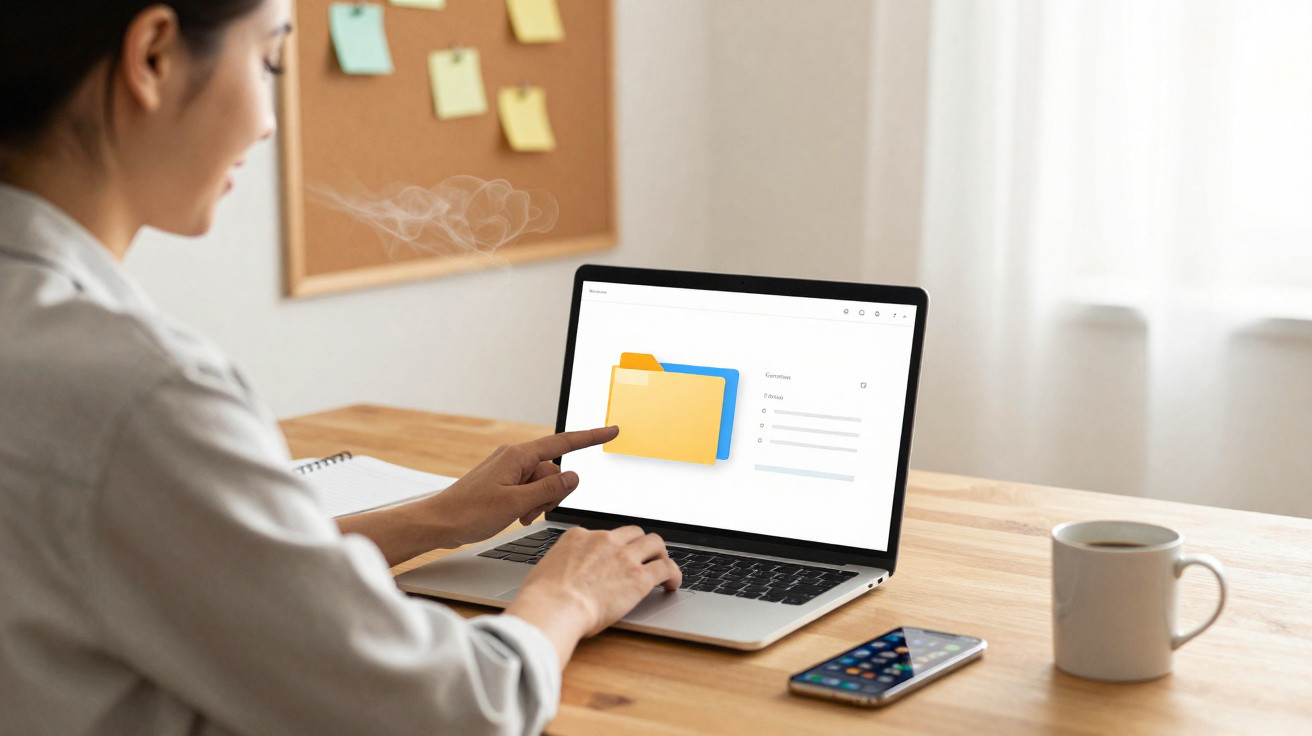
The display had become a digital loft: unfinished slide decks, images labelled “Screenshot 2021-09-13 (4)”, and ten copies of the same report. She clicked through them, scrolled, paused, shut windows, then started over. All of it was for the sake of attaching “the latest file” to a brief email.
Her coffee was cooling, the meeting began in three minutes, and she was bargaining with a mass of icons. It was not a disaster or a major crisis. It was simply the sort of small delay that quietly saps energy every day.
She later told me that sorting her entire computer seemed unmanageable. Instead, she chose a single folder. Just one.
That choice ended up changing everything.
Why one folder can improve your day more than a complete digital detox
People often picture digital organisation as an ambitious project: a weekend of “file marathons”, fresh apps and colour-coding for everything. It looks impressive in productivity videos, but usually falls apart when it meets everyday life.
What tends to work is more modest, and far less glamorous. Choose one folder you use daily and bring it under control: “Downloads”, “Work”, “Photos 2024” or “Clients”. That space becomes a clear, low-friction route through your normal digital traffic jam.
The rest of your files may still be untidy. Old backups may still contain chaos. Yet whenever you open that one organised folder, your mind gets a little more breathing room. It gives you a sense of what your digital life might feel like.
A product manager I spoke to took this approach with her “Current Projects” folder. Previously, opening it was like walking into a loud office: draft presentations, unedited notes and duplicate PDFs were all crammed into the same view.
She spent one evening streamlining that folder alone. She made three subfolders, used straightforward labels and placed older material in a “_Done” directory. There was no elaborate system or new app, only a clearer definition of where each thing belonged.
The following week, she tracked one simple measure: the time required to locate a needed document. Her average fell from roughly 45 seconds to under 10. That may not sound remarkable on its own. Across 30–40 searches per day, however, it returned more than half an hour of attention. That is the equivalent of a meeting’s worth of decision-making recovered, without getting up at 5 a.m. or purchasing another tool.
There is a reason a focused clear-out outperforms a total digital overhaul. Your brain responds well to clarity in the places it visits repeatedly. Those digital “hot spots” have an outsized effect on how the day feels.
A large-scale clean-up disperses your effort. You find yourself making thousands of minor choices about files you may never open again. It is like reorganising the basement while dishes still cover the kitchen worktop.
Concentrating on one high-impact folder puts your effort where friction occurs most often. Every time you work in it, you get a small reward: greater ease. Over days and weeks, those brief moments reshape your relationship with the screen. You no longer dread the click that comes before the work.
The simple one-folder method that makes a difference
Begin with the folder that irritates you most, rather than the one that appears most disastrous. For many people, that will be “Downloads”, “Desktop”, or the main folder for their current role or business.
Open the folder and sort it by “Last modified”. This quick step sends the fossils to the bottom and puts your current life at the top. Then create three basic subfolders: “Now”, “Later” and “Archive”. Do not overthink it or build a flawless taxonomy.
Put files used this week into “Now”. Send anything you may need this month to “Later”. In one decisive move, place everything else in “Archive”. You are not deleting files; you are turning down the visual noise. A folder that once yelled at you can suddenly feel calm.
This is where many people stall: they feel compelled to design the ideal system for the next ten years. Resist that urge. Use names that make sense to you now, in the language you genuinely use rather than productivity jargon.
On a difficult day, “Stuff I’m Working On” is more useful than “Operational Deliverables Q3”. You will actually open it and use it.
If you have a quiet afternoon, you can make refinements by splitting “Now” into “Writing”, “Finance” and “Clients”. Or you can leave it alone. What matters is that, every time you open the folder, your brain knows where to look within two seconds. Let’s be honest: nobody really does this every day.
One engineer I met used an uncompromisingly honest system. He called his primary folder “Work – Don’t Overthink It”. It contained “Today”, “This Week”, “Someday” and “Graveyard”. He laughed as he showed it to me, yet it worked because the layout reflected the way his mind really operates.
“The magic wasn’t in the folders,” he told me. “It was in not having to think about the folders while I was trying to think about my work.”
After that, opening his “Work” folder no longer produced a small surge of guilt. It was more like entering a neat little studio than a storage unit. The rest of his drive remained messy, but his everyday experience had changed.
- Choose one folder you use every day - no more and no less.
- Make 2–4 uncomplicated subfolders that reflect your actual life.
- Move old clutter in batches into one “Archive” folder.
- Live with the arrangement for one week before altering it.
- Track one measure: the time needed to find a file, or your stress level out of 10.
The subtle ripple effect of reducing digital friction
Once one part of your digital world becomes easy to use, a subtle shift takes place. You begin wanting the same feeling in other places, not as a grand goal but as a quiet desire for more ease.
Your eyes adapt to fewer icons and more meaningful names. Your fingers learn the route to what is important. Next time you create a file, you may pause for half a second and put it in “Now”, rather than leaving it adrift on the desktop.
During a hectic morning, that single orderly folder can become a mental anchor: a dependable spot among tabs, alerts and pings. On an exhausting evening, it is one part of the screen that does not demand a hundred tiny decisions before you can start thinking.
We have all experienced a small improvement that feels unexpectedly significant. It might be a new lamp that softens an entire room, or one drawer finally organised well enough to make cooking simpler. This is the digital equivalent.
You may still miss deadlines when a project is large. You may still put off challenging work. But you will no longer spend ten minutes searching for “Finalv3reallyFINAL.pptx”. The resistance shifts away from your tools and back to the work itself.
That is where it should be.
| Key point | Detail | Benefit for the reader |
|---|---|---|
| Focus on one folder | Target the digital space you use every day instead of your whole computer | Makes progress feel manageable and useful straight away |
| Simple structure | Use 2–4 clear subfolders that reflect how you genuinely work | Reduces hesitation and decision fatigue when filing or searching |
| Archive, do not agonise | Put old clutter in one “Archive” rather than sorting every individual file | Saves time while ensuring everything remains safely accessible if required |












Comments
No comments yet. Be the first to comment!
Leave a Comment