
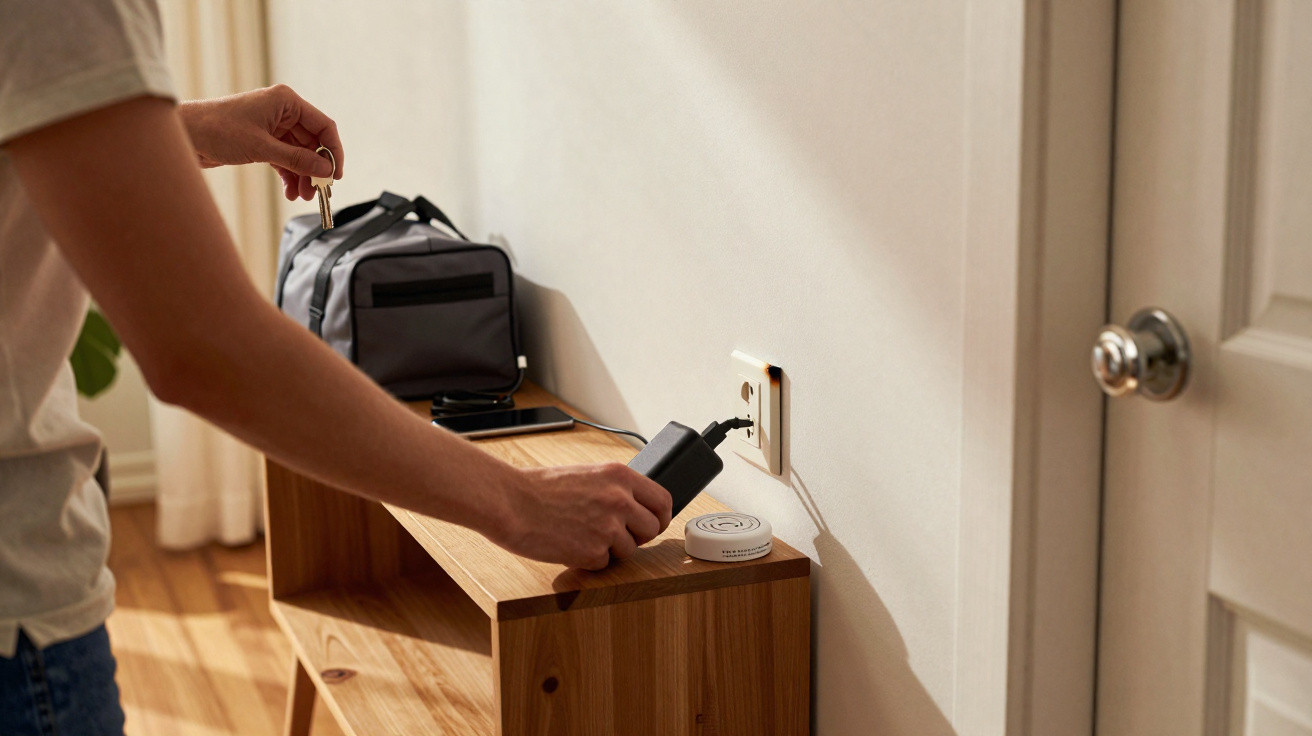
Leaving a device plugged in may seem harmless in an empty home. Yet the condition of the cable and where it is placed can make all the difference.
Before heading out, many people check the windows, hob and keys. Power adapters are often overlooked in that routine. However, a domestic risk-prevention officer warns against this widespread habit: leaving a power supply plugged in for hours, sometimes close to flammable items.
A commonplace habit worth reconsidering
The situation is familiar. A phone has charged overnight, but its adapter stays in the socket for the rest of the day. It is no longer being used, yet it barely registers. The same applies to tablets, wireless earbuds, smartwatches, handheld consoles and power banks.
The specialist points out that an adapter in good condition and compliant with standards will not automatically cause an incident. Risk mainly arises when equipment is faulty, has been knocked, becomes unusually hot or is poorly made. In such cases, electricity continues to flow and a fault can develop while no one is at home.
Unplugging an unused adapter takes only a few seconds and reduces the risk of overheating in an unoccupied home.
The danger does not come solely from the wall socket. It involves the whole set-up: the cable, power supply, extension lead, ventilation around the equipment and nearby objects. A charger trapped behind furniture or covered by a throw cannot release heat properly.
Why a power adapter can overheat
A power supply converts the household electrical current to provide the voltage required by the device being charged. This process naturally produces some heat. It remains limited when the equipment is working correctly and is left in the open air.
Problems can start when an internal component wears out or a cable is damaged. Cracked insulation, a bent plug, exposed wire or a loose connector are all warning signs. A poor connection may cause a rapid rise in temperature or even sparks.
Very cheap adapters can also be a concern when they offer no clear guarantee of compliance. Some models have inadequate protection against power surges, short circuits or overheating. An attractive price does not always outweigh the risks associated with electrical equipment used every day.
Warning signs not to ignore
There is no need to wait for an incident before replacing equipment. Several signs should prompt you to set it aside immediately:
- a power supply that is very hot to the touch, even after brief use;
- a smell of heated plastic or any unusual odour near the socket;
- a cable with cut, flattened or discoloured insulation;
- brown marks on the socket, plug or extension lead;
- crackling, interrupted charging or an unstable connection;
- equipment that has fallen into water or suffered a heavy impact.
In these circumstances, it is better not to try repairing the cable with adhesive tape. Damaged electrical equipment should be replaced with a compatible product suited to the device and bought from a reliable retailer.
The wrong location increases the risk
A charger placed on an uncovered table does not present the same circumstances as one left on a sofa. The risk of fire rises when a heat source is in contact with fabric, paper, cardboard, curtains or bedding.
Bedrooms require particular care. Many people charge their phones beside their pillow, sometimes beneath a blanket to hide the cable. This prevents heat from escaping. It also exposes textiles directly, as they can catch fire more easily than tiles or a metal surface.
A cable should never be left trapped beneath a mattress, caught in a door or covered by clothes and fabrics.
Overloaded extension leads are another sensitive issue. Connecting several high-power appliances to the same unit can cause overheating. A phone adapter uses little electricity, but it should not be combined without thought with a portable heater, kettle, electric oven or any other powerful appliance.
A simple check before leaving home
The prevention officer advises making this check part of existing automatic routines. Before being away for several hours, simply look over the sockets used for charging. This habit can also cover appliances left on standby and extension leads positioned behind furniture.
- Unplug adapters that are not in use.
- Keep cables and power supplies away from fabrics and paper.
- Quickly check the visible condition of wires and sockets.
- Do not leave a device charging on a bed, sofa or armchair.
- Replace any equipment that becomes hot, smells burnt or shows signs of wear.
This precaution does not mean turning your home into a closely monitored area. It simply involves spotting avoidable situations. Five seconds may be enough to remove a plug left connected for no reason before leaving for work, the school run or a weekend away.
What to do if a device starts smoking
If an adapter is smoking or giving off a strong smell, do not pour water over it. Water conducts electricity and can make the danger worse if the installation is still live. If it can be done without putting yourself at risk, switch off the electricity at the consumer unit or unplug the socket by holding the plug only, never the cable.
If there are flames, thick smoke or a fire beginning to spread, leave the property, close the room door if possible and call the emergency services. A fire extinguisher suitable for electrical fires may help, provided you know how to use it and do not take unnecessary risks.
Standby power consumption: a secondary effect
Unplugging unused adapters can also cut a small amount of electricity use. It is generally modest for a charger on its own, but adds up alongside internet routers, screens, games consoles, speakers and appliances left on standby. In a household with many connected devices, these small constant draws can eventually affect annual electricity consumption.
An extension lead with an on/off switch can make the habit easier in a home office or beside the television. It allows several items to be switched off in one action. Appliances that must remain powered, such as a fridge, a router used for an alarm or medical equipment, should of course stay connected as required.



Comments
No comments yet. Be the first to comment!
Leave a Comment