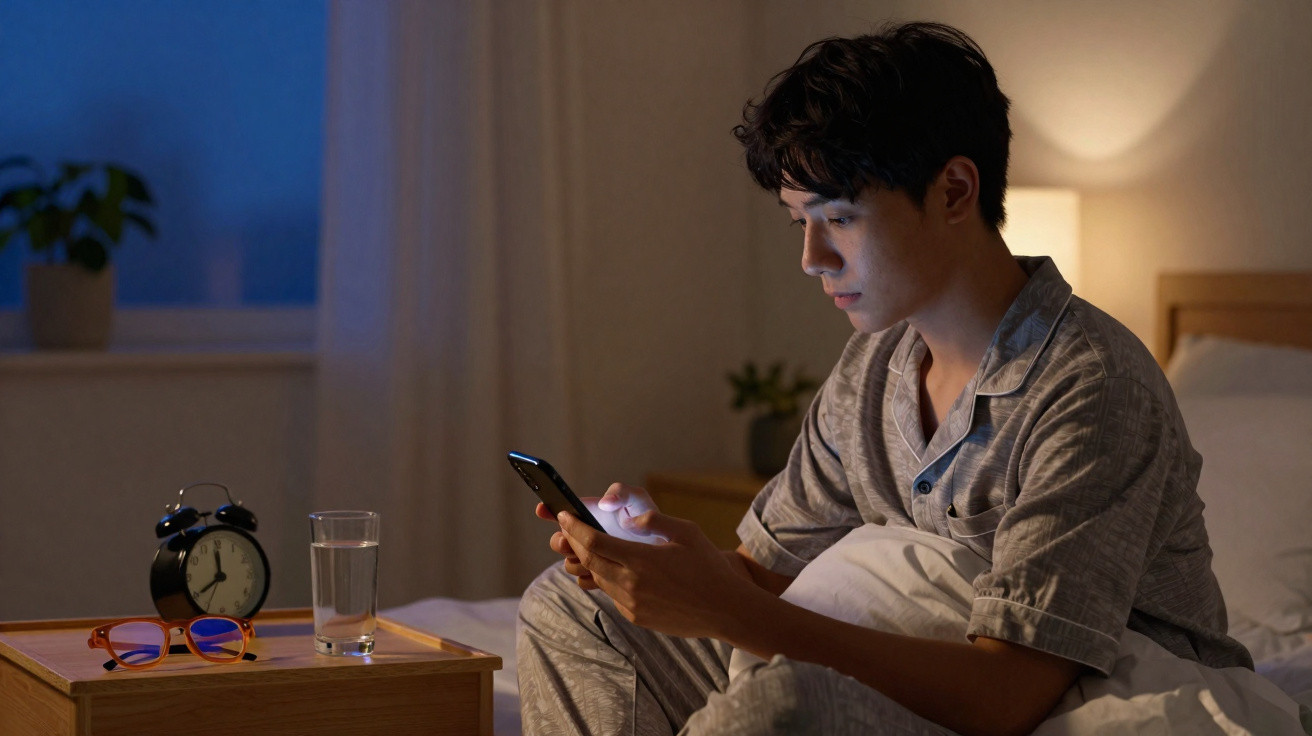
A subtle change to one setting can stop exactly that.
Many people reach for their smartphone once more in bed: checking emails, scrolling through Instagram for a moment, perhaps watching a video. Afterwards, the mind feels wide awake even though the eyes are already tired. This is not down to a lack of discipline, but to a simple yet powerful biological effect - and one specific phone setting addresses it directly.
How your screen secretly disrupts your sleep
What display brightness does to your sleep hormone
Our bodies are strongly guided by light. Bright light containing blue wavelengths tells the brain: daytime. Darkness tells it: night-time. The key messenger involved is melatonin, known as the sleep hormone. Its level rises in the evening and makes us feel sleepy.
LED screens - on phones, tablets, laptops and televisions - emit precisely the kind of light that interferes with this process. Studies show that spending longer looking at bright displays in the evening can delay melatonin release by around 30 to 90 minutes. This is the delay you experience as: “I’m tired, but I can’t switch off.”
Looking at a bright smartphone in bed artificially tells your body: “It is still daytime” - so your sleep programme starts later.
The result is that you fall asleep later, sleep for less time and spend less time in deep sleep. The following morning, you can feel as though you have been “run over”, even when the clock says you have had enough hours.
Why you do not need to banish your phone
Realistically, hardly anyone will put their phone away completely from 6 pm. Work chats, family groups and streaming mean that digital daily life cannot simply be switched off. The crucial point is not to demonise your phone, but to soften the effect of its light.
By deliberately reducing the amount of light reaching your eyes, you can help your internal rhythm recover. The outcome is clearer signals for falling asleep, a more natural feeling of tiredness and a more alert start to the day.
The simple double adjustment in your phone settings
Step 1: Halve the brightness - permanently
The most important step is surprisingly straightforward: set your display brightness to roughly 50 per cent and keep it there. On almost all smartphones, you can do this through Quick Settings or the Display menu.
- Open the brightness slider.
- Move it to approximately the halfway point.
- If possible, turn off overly aggressive automatic brightness.
Reducing the light output by half noticeably eases the strain on both your eyes and brain. This alone may shorten the time it takes to fall asleep, because fewer “daytime signals” reach your brain.
Step 2: Turn on Night Mode from dusk
The second control is Night Mode, often called “Night Shift”, “blue light filter”, “eye comfort mode” or “Night Mode”. It shifts the display towards warmer colours, specifically reducing the proportion of blue light.
Set the mode to activate automatically from dusk, or at the latest two hours before your usual bedtime. Rather than thinking, “I’ll quickly turn it on”, make it a fixed routine.
| Display setting | Recommended action | Effect on your sleep |
|---|---|---|
| Brightness | Limit it to around 50% | Less delay in falling asleep |
| Blue light content | Switch on Night Mode automatically in the evening | Gentler on your body clock |
Combining half brightness with Night Mode every evening is like gently “dimming” your brain towards sleep.
The 2-hour rule: timing beats technology
Why last-minute changes achieve little
Many people make the same mistake: they use their device at full brightness until shortly before switching off the light, then quickly activate the blue light filter in bed. Biologically, this does little. Your body responds to the pattern of the last few hours, not to a frantic correction five minutes before you fall asleep.
Research shows that your body is particularly sensitive during the roughly two hours before bedtime. This period determines whether your brain settles into a sleep-ready state or remains in “daytime mode”.
How to put the 2-hour rule into practice
- Choose a regular bedtime, such as 11 pm.
- Set automatic Night Mode for 9 pm or earlier.
- From then on, avoid maximum-brightness displays - including tablets and laptops.
If you tend to scroll in bed, keep your display in dim, warm mode from this time onwards. Your body needs this transition period to build up melatonin steadily.
Plan B for heavy users: orange filter glasses
How filter glasses can supplement a blue light filter
Some people cannot get away from screens in the evening because of work, such as shift workers or those dealing with urgent projects. In these cases, a physical barrier can help: glasses with orange lenses that block a large proportion of blue light.
They can enhance the effect of Night Mode or replace it where a device does not offer a suitable filter. They are particularly useful where several screens are in the room or when using large monitors that cannot be dimmed as easily.
Orange filter glasses are like a portable Night Mode - whatever screen you are using.
What to look for in these glasses
- The lenses should be clearly orange or amber, rather than merely faintly yellow.
- Ideally, wear them from around two hours before going to bed as well.
- Combine them with reduced brightness - this further relieves your eyes.
A new evening routine: small changes, big effects
Practical habits for calmer nights
For consistently better sleep, you do not need complicated technology; you need dependable routines. Three simple rules can transform your evening:
- Begin your “digital dusk” two hours before bedtime.
- Keep screen brightness lower throughout the day - your brain will thank you for it.
- Use Night Mode consistently rather than occasionally, and add filter glasses if needed.
People who make these habits second nature often notice within only a few days that falling asleep becomes easier, sleep feels deeper and waking up is less harsh.
Why this one phone adjustment can make such a difference
Changing your display settings seems so unremarkable that many people underestimate it. In fact, it directly affects one of your body’s central control systems: the day-night rhythm. This influences not only when you become tired, but also your mood, concentration, metabolism and even hunger.
Setting your screens to a gentler mode in the evening gives this internal timekeeper the space to work at its own pace again. The result is not merely better sleep, but often greater day-to-day stability too: fewer afternoon slumps, clearer thinking and less irritability.
So, if you reach for your phone again this evening before turning out the light, try it: lower the brightness, switch on Night Mode and, ideally, do it well before bedtime. This single adjustment takes ten seconds - and could make your nights considerably calmer over the long term.










Comments
No comments yet. Be the first to comment!
Leave a Comment