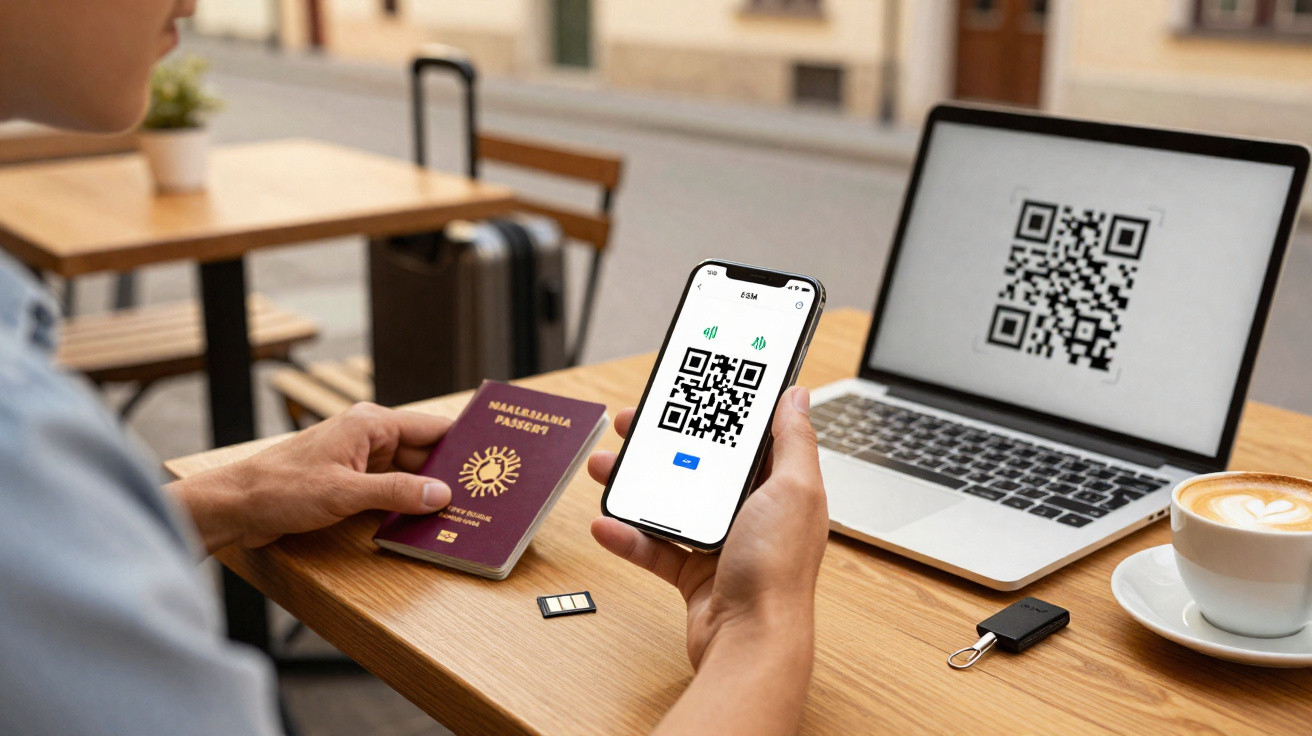
eSIM makes holidays with your mobile much more relaxed – but how can you keep your own number available without costs spiralling?
Many travellers face the same problem: they want affordable mobile internet abroad while remaining contactable on their usual number, whether for family, work or bank SMS messages. An eSIM, a digital SIM card, makes this balance far easier to achieve than it used to be. However, it is not entirely automatic: the tariff, handset and settings all need to be right.
What an eSIM is – and how it changes everyday use
Technically, an eSIM is a SIM chip built permanently into a smartphone, tablet or smartwatch. Rather than inserting a small plastic card, you download the provider's profile onto the device using a QR code or app.
- The chip is permanently fitted in the device, so it cannot be lost.
- Several provider profiles can be stored at the same time.
- Tariffs are changed in software rather than by swapping hardware.
This flexibility is especially useful for travellers. A handset can simultaneously:
- retain the home number for calls and SMS messages; and
- use an additional data eSIM with inexpensive local tariffs.
“With an eSIM, keeping your number and getting affordable data allowances can finally be combined really conveniently – one device, two tariffs, no fiddling with plastic cards.”
Benefits and limitations: where the eSIM excels and where it becomes frustrating
Strong reasons to choose a digital SIM
In day-to-day travel, an eSIM has several clear advantages:
- Very fast activation: Buy online, scan the QR code and you are ready to go, often within minutes.
- Multiple profiles: A work number, personal number and overseas data tariff can all sit on one device.
- Durable: There is no plastic card that can snap, bend or get stuck in the slot.
- Space-saving: Manufacturers gain internal room, which can support slimmer designs over time.
Do not underestimate the drawbacks
The technology is not completely frictionless yet:
- Newer devices only: Many older smartphones simply do not support eSIM.
- Activation requires internet access: The profile cannot be downloaded without reliable Wi-Fi or a mobile connection.
- Moving devices is more complicated: Transferring to a new handset often requires a fresh QR code from the provider.
“Anyone planning to travel with an eSIM should check clearly before departure: does my handset support it – and is it not locked to my current provider?”
Can you keep your own German number abroad?
Yes, provided a few requirements are met. The key point is that the device must support Dual SIM, meaning it can manage a physical SIM and an eSIM, or two eSIM profiles, in parallel.
In practice, the arrangement normally works like this:
- Physical SIM: Keeps the German main number, handling calls, SMS messages and bank TANs.
- eSIM: Provides the affordable data allowance in the destination country for WhatsApp, Maps, emails and more.
Depending on the configuration, you can still receive incoming calls while data-heavy services such as streaming or navigation use the overseas data tariff. Priorities in the smartphone settings are important: set the eSIM as the data connection, while leaving calls and SMS messages on the home SIM.
Common travel scenarios compared
| Scenario | Advantage | Disadvantage |
|---|---|---|
| German tariff only with roaming | Everything remains as it is at home, with no changes required | Quickly becomes very expensive outside the EU, usually with little data included |
| Local prepaid SIM only | Very cheap data in the destination country | The German number is inactive, so SMS TANs do not arrive |
| Combination: German SIM + eSIM data tariff | The number remains reachable and data is cheap locally | Requires a little more configuration and costs need monitoring |
For online banking or logins using an SMS code in particular, this two-part approach is often the only sensible option.
Which devices are suitable for eSIM travel?
Many current models now come prepared for eSIM use. Examples include:
- Apple: iPhone XS, XR and later models, current iPad Pro and iPad Air devices, and cellular Apple Watch models.
- Samsung: Galaxy S20, S21, S22, S23 and current Note series models.
- Google: Pixel devices from generation 3 onwards.
- Other brands: selected OnePlus, Xiaomi and Huawei models, as well as some laptops.
The exact model variant matters. Some devices support eSIM in Europe but not in other regions. A quick check in the settings or on the manufacturer's support page will clarify this.
Popular eSIM providers for holidays: data without a number
Specialist providers offer data-only tariffs for hundreds of countries. The usual model is generous data allowances but no conventional calling and no standard SMS messages.
Holafly
Holafly sells eSIMs for more than 160 destinations and they can be booked before departure. A QR code arrives by email after purchase, and the tariffs are entirely data-based. Some countries offer unlimited data, which can be particularly appealing for streaming or working from home. Traditional calls and SMS messages are not included, with communication apps such as WhatsApp or Signal taking over those functions.
Saily
Saily concentrates on flexible data tariffs that can be activated through an app or QR code. Its strengths are low prices and fairly detailed data allowance options, which appeal to frequent travellers. As with other providers, conventional calls and SMS messages are unavailable: it is clearly a data-focused service.
Airalo
Airalo operates like a marketplace for eSIM deals. Users can choose local, regional or global packages. Someone planning a tour of South-East Asia, for example, can use a regional eSIM rather than buying another package in every country. Network quality depends on the local partner network, so experiences can vary considerably.
Ubigi
Ubigi offers rechargeable data tariffs managed through an app. This is useful for people who travel abroad regularly and want to manage their data account centrally. It provides options for numerous countries, including packages for Germany itself. Like the other data specialists, it does not include calling or SMS messages.
“The smart combination is often this: a small home tariff for reachability, plus a large data eSIM for everything that uses up allowance.”
How travellers can choose the right eSIM tariff
Technical criteria
- Country coverage: Does the tariff precisely cover your itinerary?
- Data allowance: Is it enough for navigation, emails, social media and perhaps some streaming?
- Network standard: Does the provider offer 4G or even 5G locally?
- Validity period: Does the available period match the duration of the trip?
Price considerations
- Price per gigabyte: Providers differ enormously on this point.
- Activation fees: Some providers add an extra charge when the plan begins.
- Top-ups: Can the tariff be extended easily if data starts running low?
- Fair-use rules: Check for throttling, suspension or additional charges after usage.
Ease of use
- Activation: Is a QR code enough, or is a specific app required?
- Support: Is accessible customer support available in a language you understand?
- Compatibility check: Does the provider offer a clear list of supported devices?
Tariffs with so-called “data rollover” can be particularly useful: unused gigabytes carry into the next period instead of expiring immediately.
Installation and activation: the process step by step
Typical process
- Buy the eSIM online, from a provider, mobile network company or app store.
- Receive a QR code by email or in the app.
- On the handset, select “Add eSIM” under “Mobile Data” or “SIM Management”.
- Scan the QR code with the camera and allow the profile to download.
- Select the network, test the data connection and check the APN settings if necessary.
Important requirements and tips
- The smartphone must support eSIM and must not be SIM-locked.
- Use a stable Wi-Fi connection during installation.
- Allow sufficient storage for several profiles.
- Test it immediately after installation rather than waiting until you are at an airport abroad.
A VPN can be useful where certain services are blocked locally or when establishing sensitive connections, such as those to company servers.
Saving data: making the eSIM last longer
Configure it wisely
- Limit video streaming to SD quality.
- Download map data for offline use before travelling.
- Turn off automatic cloud backups for photos and videos.
- Allow app and system updates only over Wi-Fi.
- Reduce background app activity to what is essential.
Keep an eye on usage
Many eSIM providers offer apps showing exactly how much data has been used and how much remains. Android and iOS also include built-in counters and warning thresholds. Using these tools actively helps to avoid unpleasant surprises.
Wi-Fi use offers another way to reduce consumption: larger downloads can easily be postponed until you are in a hotel, café or co-working space.
Multiple profiles at once: how frequent travellers really use eSIM
What modern smartphones can do
Current iPhones can store up to eight eSIM profiles, with two active at the same time. Samsung devices are generally in a similar range, while Google Pixel phones also offer flexible combinations with a physical SIM.
This allows setups such as:
- Personal number + work number + travel data eSIM
- One eSIM for each region, such as Europe, Asia and North America, switching according to destination
- A back-up eSIM with an affordable global tariff for emergencies
Staying organised with many profiles
Clear labels are worthwhile, for example “Germany – personal”, “Germany – work”, “Travel – Asia” and “Back-up – global”. Profiles that are not needed can be deactivated to save battery and prevent accidental usage. Expired eSIMs should be deleted regularly to keep everything manageable.
When something goes wrong: common problems and quick solutions
Activation fails
Typical causes include an expired or already used QR code, unreliable Wi-Fi, or a device locked by its original provider. Restarting the smartphone and scanning again resolves many cases. If that does not work, you will need to contact support, which can issue a new code where necessary.
Important: once deleted, profiles often cannot be restored. Do not remove anything without first speaking to the provider.
No network or poor coverage
If the eSIM is active but data does not work, check the network and APN settings. Briefly switching on aeroplane mode or changing from 5G/4G back to 3G can sometimes help. In areas with weak coverage, selecting a different partner network in the device settings may improve matters.
What travellers should still sort out before departure
Anyone travelling abroad with an eSIM and an existing German number should prepare a short checklist: confirm device compatibility, compare tariff options, install the eSIM in advance, assign the default data line clearly and, while abroad, enable roaming for the German SIM only selectively if calls are genuinely required.
This combination is especially useful for people who work while travelling, use online banking frequently or need to remain constantly available through messaging apps. With proper preparation, an eSIM can become a genuinely useful travel tool that reduces costs without forcing compromises on reachability or convenience.















Comments
No comments yet. Be the first to comment!
Leave a Comment