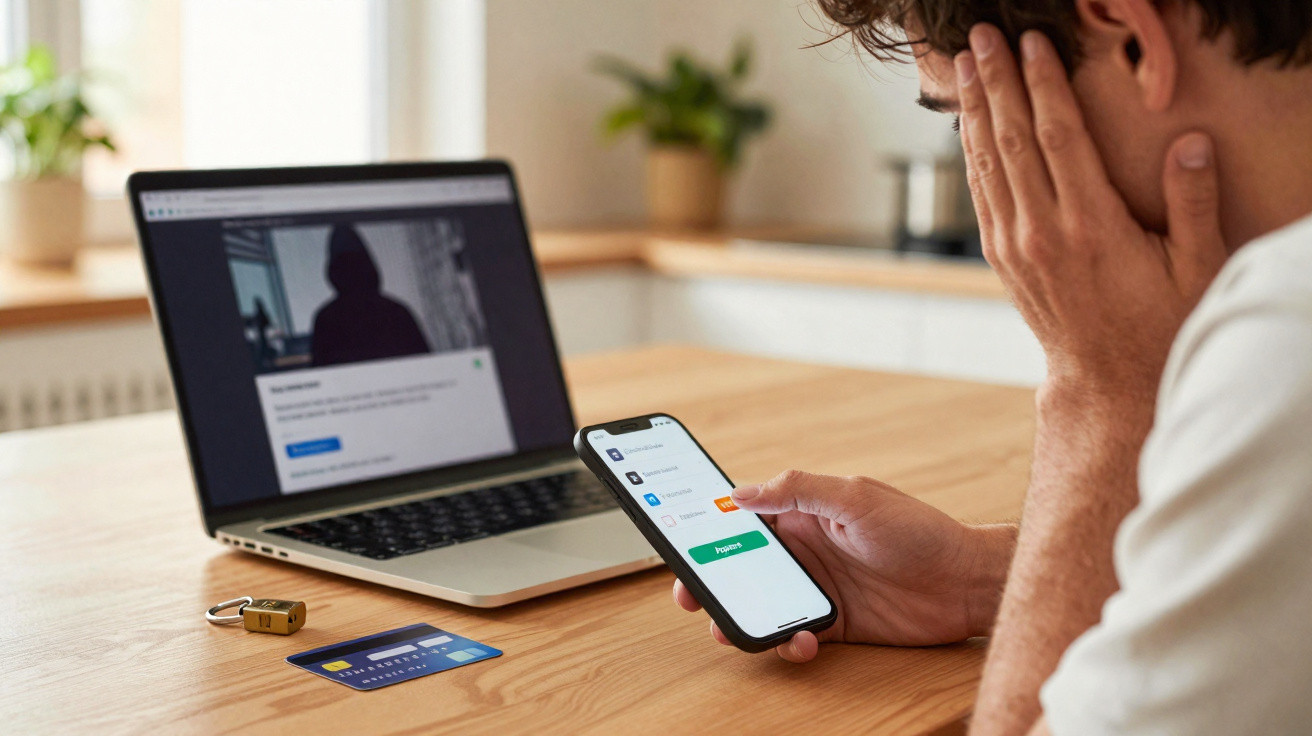
Notifications accumulate. Between routine and urgency, a small tap has acquired much more significance than it ought to carry.
We use our phones for banking almost automatically. A notification sounds, we look at it, touch the display, and assume the job is complete. That effortless pattern-created for convenience-has become a prime target. Criminals have worked out how to exploit the instant in which you say “yes.”
What is happening on the ground
Most banking applications now rely on a push notification for strong customer authentication. When you sign in, add a payee or authorise a payment, a request appears on your phone; you open the application and press “Approve.” This second factor is intended to improve protection. Attackers are instead bombarding it.
Fraudsters send repeated prompts at any hour. A victim may reject several before making one mistake. Some groups conduct live phishing operations: they copy a bank’s sign-in page, obtain the first factor and cause a genuine push request to reach the victim’s handset. A bogus “support agent” then encourages them to approve it “to verify your identity.” On Android, banking malware may even place a counterfeit screen over the genuine application to record the approval action. The friction disappeared, and so did caution.
Attackers do not need to break the cryptography. They only need to win a rushed, distracted moment.
The dynamics of MFA fatigue
The method is alarmingly straightforward. Criminals obtain sign-in details through data breaches and phishing kits. They then attempt to log in, triggering a push notification for the actual account holder. When the owner rejects it, they repeat the attempt-either every few minutes or every few seconds. Many increase the pressure with a telephone call or message: “Approve now to block a suspicious payment.” This social-engineering script turns a security check into an automatic “OK.”
Where the problem comes from
PSD2’s drive for strong customer authentication across Europe led banks away from one-time SMS codes and towards in-app approvals. In theory, this is more secure, with device binding, biometrics and server-side verification. In reality, the risk has moved rather than vanished. Instant payments, crowded notification streams and deep-link issues in applications have created new opportunities.
- Prompts with little context increase the chance of errors. Numerous notifications omit the payee, sum or reason, leading users to react automatically.
- Reused credentials continue to enable attacks. Leaked email addresses and passwords provide criminals with their initial access point.
- Instant transfers increase the rewards of fraud. Funds can arrive in a mule account and leave the country within minutes.
- Phones bring together banking, email and authenticators. Misuse of accessibility functions and deep-link weaknesses expand the attack surface for mobile trojans.
- Open banking introduces transfers between services and consent stages. Every redirect can cause confusion for social engineers to exploit.
Remove friction carelessly and you remove the pause that helps people spot a trap.
What it means for customers, banks and regulators
For customers, the distinction between “authorised” and “unauthorised” fraud becomes unclear. Does tapping “Approve” amount to consent? Banks can sometimes regard it as permission. In the UK, regulators have strengthened the approach to authorised push payment (APP) scams, returning more of the cost to firms and improving reimbursement for many victims. That pressure is increasing as Faster Payments grows and Confirmation of Payee checks become routine.
For banks, the financial equation is changing. Fraud losses are rising, but more demanding sign-in processes damage conversion and customer satisfaction. Many lenders are therefore investing in less visible protections: behavioural biometrics, device-risk assessment, anomaly detection and real-time intervention on compromised handsets. Major technology standards including passkeys (FIDO2) reinforce device-bound authentication and reduce the effectiveness of phishing relays. Yet the human element remains substantial. Even a seamless key pair cannot prevent a hasty tap prompted by a persuasive voice.
Modern life is driven by alerts. Work messages, delivery notifications and promotional pings all demand attention. A banking prompt no longer seems unusual or consequential. This makes the screen’s design and language crucial: how an application presents the moment influences the decision users make.
What experts propose and the fixes that stick
Experts repeatedly identify the same central weakness: an “Approve” button without context. Financial and technology sectors are now adopting effective safeguards. Each measure is designed to interrupt the reflex, provide context or tie authorisation to the precise action.
| Measure | What it changes | Limitations |
|---|---|---|
| Number matching | The user enters a code displayed on the sign-in screen, so thoughtless tapping is ineffective | Phishing websites may still pass the code on in real time |
| Dynamic linking | The approval displays the payee and amount; cryptographic binding stops unnoticed amendments | It requires a clear interface, as small screens can conceal essential information |
| Passkeys and hardware-backed keys | Connects sign-in to the device and domain, resisting phishing relays | Device loss and account-recovery processes require careful planning |
| Rate-limiting prompts | Prevents or delays bursts after refusals and introduces warnings | Attackers can switch to social calls and new accounts |
| Mobile app hardening | Prevents screen overlays, identifies rooting and safeguards runtime | Advanced malware continues to evolve |
- Write prompts in plain language, stating who is connecting, the device involved, an approximate location and the time.
- Introduce a cooling-off period for an initial payment to a new beneficiary or for unusually high sums.
- Change channels following several refusals-stop sending pushes and require biometric re-authentication or a staff-led check.
- Exchange indicators of phishing kits and mule accounts across the sector to reduce the lifespan of campaigns.
A push prompt should feel like a decision about a specific action, not a vague test of identity.
The deeper issue: security as a design choice
Authentication is not simply a ritual; it is a point at which a decision is made. When a screen offers minimal information and its layout conditions users to respond reflexively, people become predictable. Predictable people are easy to manipulate. Banks that redesign journeys around understanding rather than mere compliance are recording fewer push-based losses and fewer calls to support teams.
What you can do right now
Stop and consider any unexpected prompt. If a caller asks you to approve something “to stop a fraud,” end the call and contact your bank using a trusted number. Enable payee confirmation and payment notifications. Do not reuse passwords. Choose passkeys when they are available. Keep your device up to date and delete applications you do not recognise.
If you lead a financial product team, test the language used. Swap “Confirm authentication” for clear wording such as: “Someone is trying to sign in on a Samsung Galaxy in Leeds at 14:03. If this isn’t you, tap Deny.” For each approval, display the payee’s name, partial sort code and account number, plus the precise sum. Apply friction only as risk increases, while keeping everything else quick.
A quick walk-through: number matching in practice
You sign in through the web. A two-digit number appears on screen, for example 47. Your phone receives a notification offering three choices: 12, 47 and 83. You open the application and select 47. It signs the challenge using a device key before transmitting it to the bank. A criminal flooding you with pushes cannot select the correct number without viewing your screen. Where a phishing website relays the process, time pressure is still less likely to catch the victim out, while risk scoring can identify the device and location mismatch.
Risk trade-offs to keep in mind
Instant payments reduce the time available for recovery. Cooling-off periods and name matching slow transactions, but they prevent many scams. Push approvals seem effortless, although that simplicity conceals the consequences of an error. Passkeys improve resistance to phishing, but require robust account recovery and device-migration arrangements. Each control shifts the balance, but none succeeds by itself. The best outcomes result when device binding, detailed context and intelligent brakes are combined with effective education.















Comments
No comments yet. Be the first to comment!
Leave a Comment