
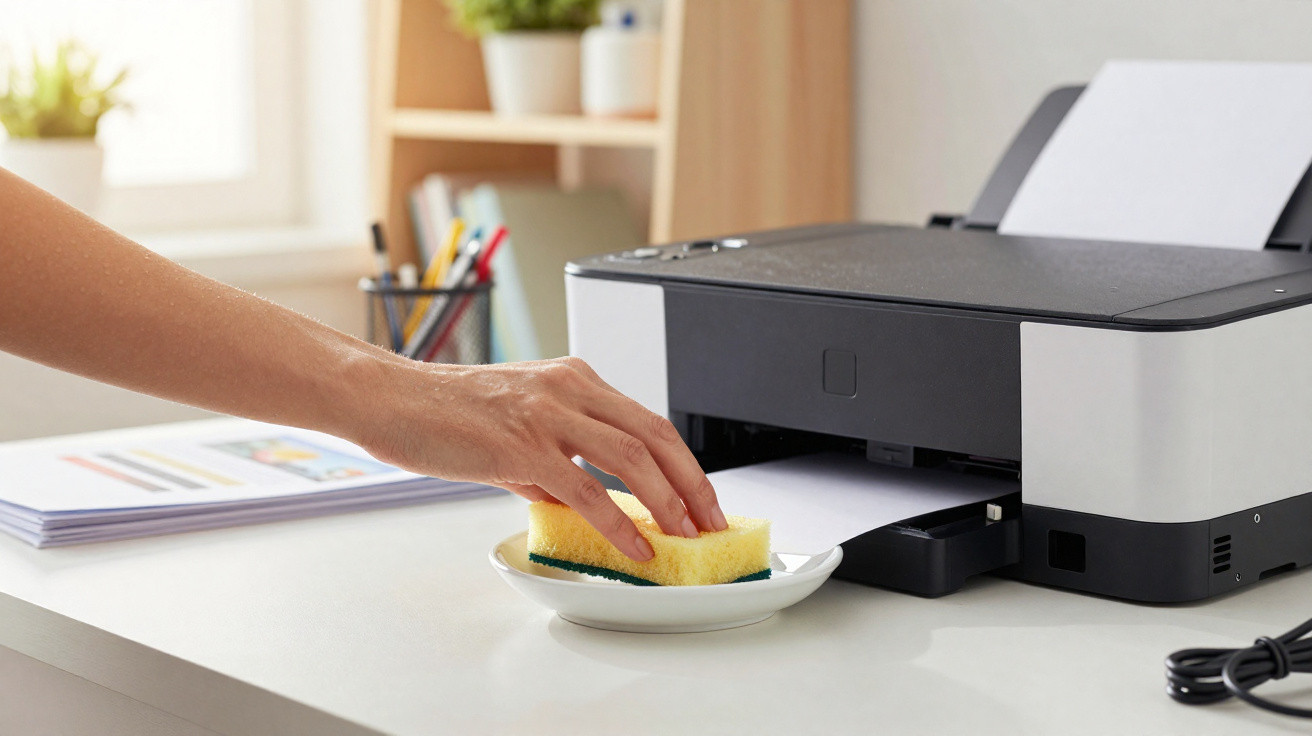
Keeping a wet sponge near a printer has become a popular household hack to slightly raise the humidity around the machine and help prevent ink drying out in inkjet printers. The idea can be sensible in very dry conditions, but it hinges on one essential precaution: the sponge must never touch the printer directly, and it should not be left loose beneath any electrical components.
Why have so many people started using a wet sponge?
Inkjet printers can struggle when they sit unused for a long time or are kept in a dry environment. Ink at the printhead nozzles can thicken and dry, leading to misfires, white streaks, or missing colours on the page. Canon notes that moisture can evaporate from nozzles exposed to air, which increases ink viscosity and makes jetting faults more likely.
Because of this, some people use a damp sponge as an improvised way to raise local humidity. Printer maintenance sources often mention that keeping humidity between 40% and 60% can help reduce ink-flow issues and blockages-although the best approach is always to follow the manufacturer’s specifications.
How can you do it without damaging the printer?
The safest approach is not to put a sponge directly underneath the printer, where water could drip into the casing, onto cables, or into electrical parts. Instead, keep the damp sponge in a small, low, open container placed next to the printer or on a separate tray, with no contact with the machine.
Do it like this:
- use a clean sponge with no chemical products on it;
- dampen it with water and wring it out thoroughly so it is only slightly wet;
- place it inside a small, stable container;
- keep the container beside the printer-never on cables or over air vents;
- change the water and wash the container every 1 or 2 days to prevent odours and mould.
Does this trick work for every type of printer?
This makes the most sense for inkjet printers, particularly when they may go unused for days or weeks. HP points out that even tank-printer printheads can suffer from dried ink and clogged nozzles in certain conditions, although they are generally less prone to the issue.
With laser printers, a damp sponge does not offer the same benefit because they use powdered toner rather than liquid ink. What’s more, excessive humidity can affect paper, causing waviness and potentially interfering with toner fusing.
How often should you replace the sponge?
The sponge needs frequent washing and re-dampening, because standing water collects dust, develops odours, and can harbour microorganisms. In warmer locations, it is best to check it daily; in milder environments, changing it every two days prevents most problems.
A few signs show the sponge should be thrown away:
- unpleasant smell;
- dark spots;
- sticky texture;
- visible mould;
- cloudy water in the container.
What other tips help extend a printer’s lifespan?
The most reliable care is still to use the printer regularly. Clogged nozzles are common when the device is left idle for many days, as small amounts of ink dry on the printhead.
Other habits can help a lot:
- print a simple colour page once a week;
- keep the printer away from direct sunlight and intense heat;
- store paper in a dry, sealed place;
- run printhead cleaning only when there are print faults;
- avoid switching it off at the socket, so the printhead can park properly;
- keep cartridges and refills sealed until you need them.
Is it worth putting a wet sponge under the printer?
A wet sponge can be useful in very dry environments, but it should not be placed literally under the printer or close to power sockets. The benefit comes from slightly increasing the humidity around the device, without letting any moisture reach the machine.
The safest method is to keep the sponge in a container beside the printer, and pair the trick with weekly use, correct paper storage, and attention to room humidity. That way, an inkjet printer is less likely to suffer from drying, blockages, and day-to-day printing faults.





Comments
No comments yet. Be the first to comment!
Leave a Comment