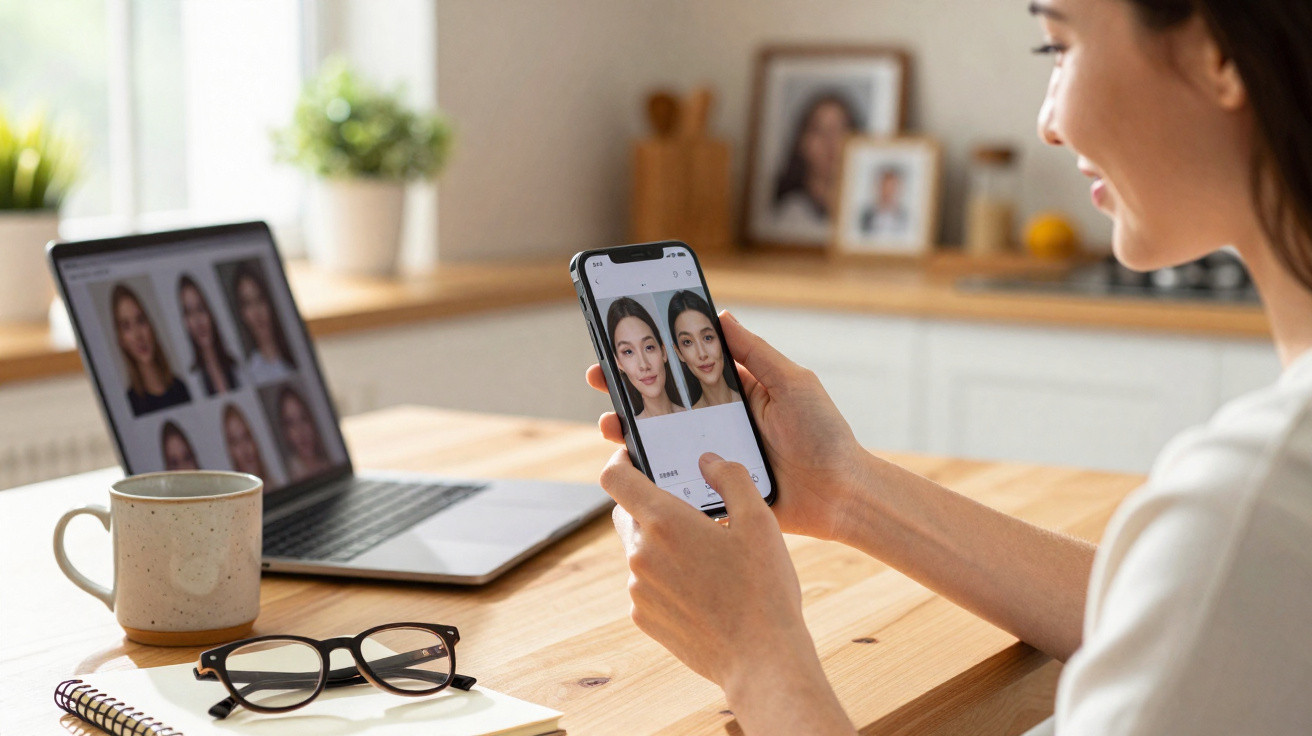
Google Photos is discreetly developing a new feature that could alter the appearance of your selfies and portraits before you share them.
For years, Google Photos has concentrated on storing memories and using AI to enhance scenes, skies and objects, while leaving faces largely alone. That approach looks set to change with a new portrait-retouching suite powered by on-device machine learning.
A new AI-powered face retoucher in Google Photos
Early discoveries in the newest Google Photos app indicate that Google is preparing a dedicated “Retoucher” module exclusively for human faces. Although it appears alongside the current editing options, it works more like a compact beauty studio than a conventional photo editor.
AI within the new tool automatically identifies faces in a picture. It then separates a portrait into individual areas and provides precise adjustments, so users do not need to paint over sections themselves or deal with complex masks.
The retoucher can find up to six faces in a single photo and lets you fine‑tune each one independently, directly from Google Photos.
When activated, the feature shows up as an extra action in the editor. Early test versions present it as a downloadable package named “Retoucher”, which integrates with Google Photos version 7.56.0. The app then begins looking for faces whenever you open an image in the editor.
Six focused tools to tweak your face
The AI suite divides its settings into six core controls, each focused on a facial feature. Every option has a straightforward intensity slider, allowing you to determine whether the outcome is subtle or more noticeable.
- Smoothing: reduces small blemishes and softens skin texture.
- Under eyes: brightens dark circles and lessens shadows below the eyes.
- Iris: improves eye definition and colour without altering the full eye.
- Teeth: lightens and whitens the smile.
- Eyebrows: gently enhances the edges and depth of brows.
- Lips: increases saturation and contrast to create livelier-looking lips.
Each setting is intended to give a portrait a fast refinement while ensuring the subject remains recognisable. Rather than producing airbrushed, porcelain-like skin, the algorithms aim to retain natural texture and shadows. Users need not mark particular areas: the app estimates the location of skin, teeth and lips, then limits the adjustment to the relevant area.
Google leans on machine learning here to keep edits realistic, nudging features rather than reshaping them completely.
This method is consistent with other Google features, including Magic Eraser and Photo Unblur, which make focused, context-aware changes instead of rebuilding an entire image.
Up to six faces per shot, each with unique settings
Group pictures can be difficult because light varies across an image and people age in different ways. Google Photos’ new retoucher deals with this by handling each recognised face as a separate small project.
The system can process as many as six faces in one photo. You can choose every person individually and set the strength of all six tools separately. One person may benefit from a stronger under-eye adjustment, another may only need minimal skin smoothing, while a third can be left unchanged.
| Feature | What it does | Who it’s useful for |
|---|---|---|
| Smoothing | Minimises fine lines and minor blemishes | Anyone seeking a neater portrait without makeup |
| Under eyes | Reduces dark circles and fatigued-looking shadows | Night owls, parents, shift workers |
| Iris | Gives eyes a clearer, more defined appearance | Portraits and close-up selfies |
| Teeth | Whitens and brightens smiles | Holiday photos, profile pictures |
| Eyebrows | Provides brows with shape and depth | Beauty shots and social media posts |
| Lips | Enhances colour and prominence | Selfies, outfit-of-the-day photos |
That degree of flexibility distinguishes it from the basic “beauty mode” filters included on many smartphones. Those filters generally apply one broad effect to every face simultaneously, and frequently overdo it.
Why Google is pushing beauty tools now
Google Photos already includes an extensive editing set, with exposure and colour sliders, intelligent suggestions, filters, background blur and object removal. Facial editing has remained fairly limited until now, however. Although many Android handsets include beautification in their camera apps, the results differ substantially between brands.
Adding portrait retouching directly to Google Photos gives Google greater consistency between devices and provides one place for users to make both overall edits and restrained facial changes. It also puts Google in competition with FaceApp, Facetune and Snapchat’s editing suite, all of which have attracted vast audiences by changing people’s online appearance.
By anchoring these tools in Google Photos, Google keeps users inside its own ecosystem when they prepare images for social media, dating profiles or professional headshots.
The launch timing matches a wider shift towards “on-device AI.” Google is increasingly processing transformations locally rather than sending pictures to distant servers, which can improve speed and lower data transfers. Local-model portrait retouching fits that strategy closely.
Convenience, but also more reasons to doubt what you see
The benefit is clear: users can improve a tired-looking selfie in moments without having to learn sophisticated editing software. Dark circles can be reduced, teeth can appear newly brushed and a dull winter complexion can receive a little warmth.
However, the tools also revive well-known questions about authenticity. If a handful of taps can significantly refresh a face, the boundary between a lifelike portrait and a carefully filtered identity becomes narrow.
On social platforms, where users already pursue idealised versions of themselves, more accessible beauty editing could increase the expectation that every image should be retouched. Teenagers and young adults may feel this most sharply when comparing their unedited faces with polished pictures in their feeds.
Automatic retouching can also make trust more complicated for photo verification on dating apps, marketplaces and even internal company directories. An image that seems to have been taken casually may actually have undergone several AI processes before the viewer sees it.
Practical ways to use the new feature without going too far
Once the retoucher becomes widely available, a measured approach may help keep images truthful while still benefiting from the technology:
- Keep sliders low: make minor changes, sufficient only to soften severe lighting.
- Focus on temporary flaws: reduce an isolated blemish or poor lighting rather than permanent characteristics.
- Compare before and after: reduce the effect if you can hardly recognise yourself.
- Treat group photos differently: respect those who favour a natural appearance and do not edit their faces.
For professionals and content creators, a tool like this could make workflows faster. Rather than exporting pictures to desktop software, users can make quick corrections on their phone before posting or sending images to a client. Portrait photographers may still use advanced editors for print work, but Google Photos could be sufficient for routine social content.
What to expect next from Google Photos editing
The retoucher is already present but inactive in recent app builds, suggesting that a public release could arrive soon through a server-side switch or a later update. Google could initially keep certain features exclusive to Pixel phones before extending them to other Android devices and, potentially, iOS.
In future, the same technology might support more sophisticated features, including simulated makeup, age-aware changes that preserve rather than remove wrinkles, or context-sensitive filters designed for video calls and short-form clips. Google could also introduce transparency markers, such as small labels or toggles that indicate when substantial retouching has been used. This subject is already being discussed in policy circles in the UK, the US and the EU.
For people concerned with digital wellbeing, the update also creates an opportunity to reconsider how they use photos more broadly. Personal boundaries - such as making only light edits to profile photographs while keeping family albums mostly natural - can support a healthier relationship with one’s own image at a time when AI can discreetly reshape nearly every photograph.






Comments
No comments yet. Be the first to comment!
Leave a Comment