
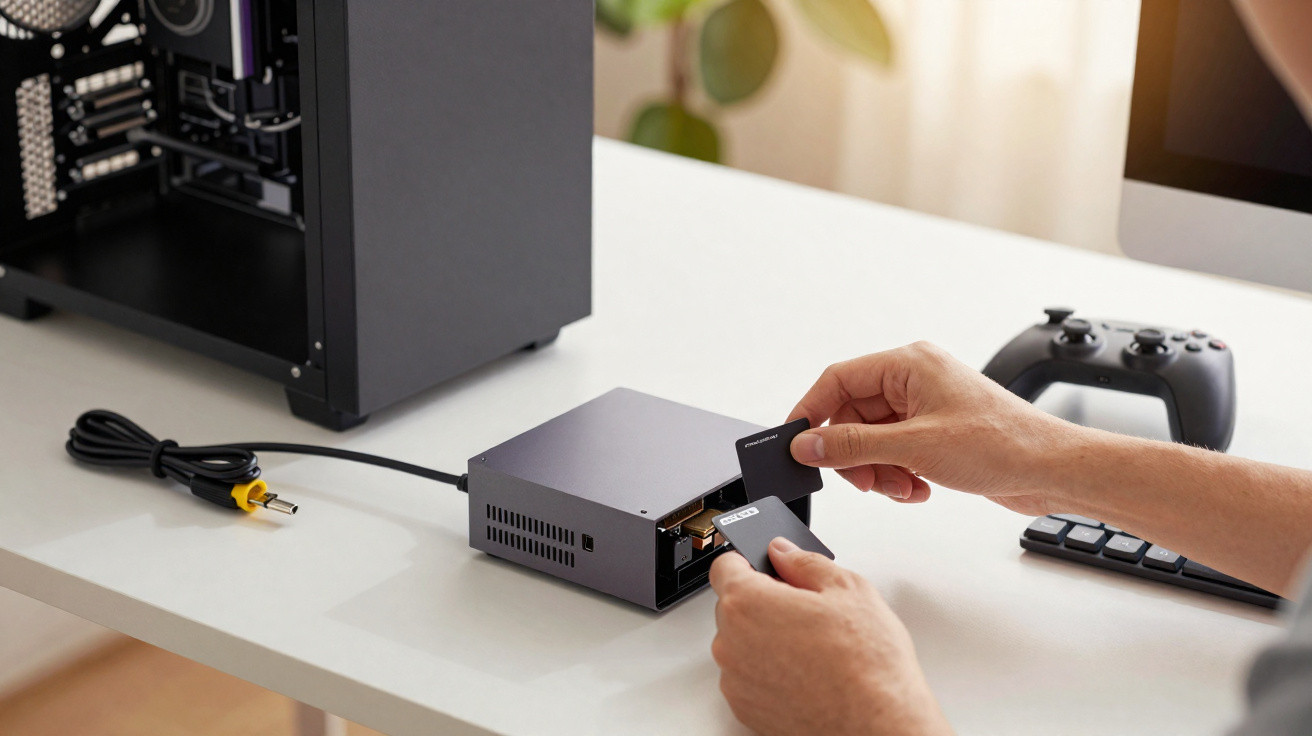
In case you have not come across it yet, the Framework Desktop is a brightly coloured mini PC that I used in place of my hulking gaming tower for a fortnight. Did it stand up to daily use?
Back in 2020, a former Oculus employee (the VR company later acquired by Meta) introduced a new computer brand called Framework. The idea was deceptively straightforward: modular laptops that you can upgrade over time, and repair as easily as a traditional desktop tower. In 2025, Framework expanded the line-up with several new products, including the Framework Desktop - a desktop computer, exactly as the name suggests.
On paper, desktop PCs do not usually struggle with upgrades or repairs. Even so, Framework is aiming for something distinctive here: a highly configurable, very small machine that still delivers serious performance. Over the past few weeks, it has effectively taken over from my gaming tower for everyday work and play - and here is how that went.
What exactly is the Framework Desktop?
The Framework Desktop is a premium mini PC that feels a bit like the Mac mini in spirit - but for anyone who does not want macOS. It comes in a compact 96.8 × 205.5 × 226.1 mm enclosure (a 4.5 L mini‑ITX-sized chassis weighing 3.1 kg), making it easy to leave on a desk or slip into a bag.
You may even want to keep it in view, thanks to its customisable front panel made up of 21 tiles. You can buy them with the Desktop, or print your own if you have a 3D printer (Framework provides the files for that).
Despite the tiny footprint, the Desktop is well equipped. Around the back, the I/O includes:
- 1 × HDMI 2.1 with CEC support
- 2 × DisplayPort 2.1 up to 10G
- 2 × USB‑C (USB4)
- 1 × 5 Gbit Ethernet (a shame there is no 10G)
- 2 × USB‑A (USB 3.2 Gen 2)
- 1 × 3.5 mm jack
On the front, two slots let you add expansion cards, choosing from:
- USB‑C
- USB‑A
- MicroSD
- Ethernet
- SD
- Audio (3.5 mm)
- Storage (250 GB or 1 TB, up to 800 Mbps write)
In my setup, I used a USB‑A card for quick access when plugging in a controller or an external drive, plus an SD card slot to move photos and video from my camera. The key point is that I can swap these later whenever I like. The RZ717 chip also brings Wi‑Fi 7 (genuinely fast) and Bluetooth 5.4.
For the core configuration, you can choose between an AMD Ryzen AI Max 385 APU (with Radeon 8050S GPU) or an AI Max+ 395 (with Radeon 8060S GPU), paired with 32, 64, or 128 GB of LPDDR5x RAM. It is worth stressing that the chip is fully soldered to the motherboard, which limits future upgrades.
That flexibility also comes at a cost. While a Mac mini M4 currently starts at 699 euros, the entry price for the Framework Desktop is 1309 euros. The unit tested here is the mid-tier option, costing 2112 euros in total. If you go for the fastest configuration with 128 GB of unified RAM, you quickly reach 2700 euros - enough to buy a sizeable gaming PC today (or, joking aside, perhaps a stick of RAM in a month or two).
You can also find other mini PCs built around the same Strix Halo architecture. Take the Minisforum MS-S1 Max, for instance: at 2719 euros (!!), it includes 128 GB of RAM as standard, 2 TB of storage, and adds two 10G Ethernet ports - alongside the same AI Max+ 395 chip.
So yes, there is plenty of personalisation, but upgradeability is more limited than the brand’s reputation might suggest. Beyond the fan and storage (two NVMe PCIe 4.0 x4 M.2 2280 slots with heat spreaders, up to 8 TB each), you would need to replace the motherboard to gain performance. Still, that is more versatile than many conventional mini PCs.
Gaming PC-level performance
With the basics covered, let us look at what the Framework Desktop can actually do. Framework positions it as suitable for demanding office work, AI tasks, and gaming - quite a claim.
Benchmarks are not usually our main focus at Presse-citron, but here are a handful of figures so you can compare it with your own machine if you want:
Geekbench 6:
- CPU single-core: 2931
- CPU multi-core: 17131
- GPU OpenCL: 84485
- GPU Vulkan: 80231
Cinebench R23:
- CPU single-core: 2047
- CPU multi-core: 33599
3DMark:
- Speed Way: 1409 (14.09 FPS)
- Steel Nomad Light: 10 131 (75 FPS)
PC Mark 10:
- Overall score: 8641
- Essentials: 10950
- Productivity: 10465
- Digital Content Creation: 15278
Set against a Mac mini M4, the Framework Desktop comes out slightly behind in single-core performance, but it is notably stronger in multi-core workloads and on the graphics side. That bodes well.
In real-world use, the result is exactly what you would expect: it is a seriously capable little machine. Day-to-day productivity is effortless. Editing a RAW file of more than 30 MB in Affinity is completely smooth, with every adjustment applied instantly. A casual video edit in DaVinci Resolve also runs nicely, without stutters and with render times that feel perfectly reasonable.
Considering its size, the Framework Desktop is impressive across the board. Wi‑Fi 7, for example, lets me download at over 1 Gbps, whereas my main computer in the same spot (limited to Wi‑Fi 6E) tops out at roughly half that speed because of the distance from the router. It is clear Framework has been selective about components to squeeze the best performance possible into such a small chassis.
What about gaming?
Power for productivity is one thing, but can this tiny box truly stand in for my gaming tower? At this price, it should at least be in the conversation. So I tried a selection of games to see where it lands.
The first one I fired up was the game I am spending the most time on right now: Deadlock. This competitive MOBA / hero shooter in the Overwatch mould runs beautifully at over 100 FPS in 1440p. No issues landing my best headshots - aside from my not-so-great aim. Since the game is still in alpha (play it anyway, it is excellent), I also tested more established titles.
Arc Riders, set to Ultra, fluctuates between 70 and 90 FPS. Battlefield 6? 70 FPS. Cyberpunk 2077? 69 FPS on average using the High preset. This is not RTX 5090 territory, and you will not need to buy a new 500 Hz display - but the performance is firmly in mid-range gaming PC territory.
All of that comes with a peak power draw of 150 W (versus 12 W when idle on the desktop) and heat output that stays reasonable. I really only have one criticism: a constant buzzing (coil whine) when the GPU is under heavy load. It is still quite tolerable, especially if, like me, you play with headphones on.
Going further
All the testing here was done on Windows 11 (25H2). You can buy a Windows licence (at full price) directly from Framework’s shop, although that is not necessarily the most sensible approach.
The other route is installing a Linux distribution. There is plenty of choice, of course, but the Framework Desktop has been tested and tuned for Fedora. Fedora also underpins Bazzite, an operating system designed with gaming in mind.
Thanks to Proton - the compatibility layer that runs Windows games on Linux - a large number of titles now work perfectly well on the penguin OS. Better still, it is not unusual for compatible games to gain 5 to 10 FPS at identical settings. The safest bet is to check how your favourites behave on ProtonDB.
The Framework Desktop can replace my tower day to day
After two weeks living with the Framework Desktop, I still have not switched my gaming tower back on - not even for 1440p gaming (without Ray Tracing, though). For my needs, this hand-sized PC is a great fit, whether I am creating content or relaxing.
That said, comparing it directly with a full-size desktop is not entirely fair - and it is the Desktop that suffers from that comparison. You do not get the same level of modularity here, which is ironic for a brand that built its name on upgradability. It makes more sense to judge it against mini PCs such as the Mac mini and Studio, the Geekom A7, or the Asus ROG NUC 970 - and on that playing field, it comes out on top.
Ultimately, the Framework Desktop is a real favourite of mine. Small, customisable, and surprisingly powerful, it covers a wide range of uses - from serious work to reviving LAN parties with friends. Now I just want to see how Framework develops it over the long term.
Framework Desktop
1309 €
9
Overall rating
9.0/10
What we like
- Its design and compact size
- Strong performance
- The modular, card-based expansion approach
- Internal power supply
What we like less
- No 10 Gbps Ethernet
- Coil whine in games
- You cannot change the RAM or processor without replacing the motherboard


Comments
No comments yet. Be the first to comment!
Leave a Comment