
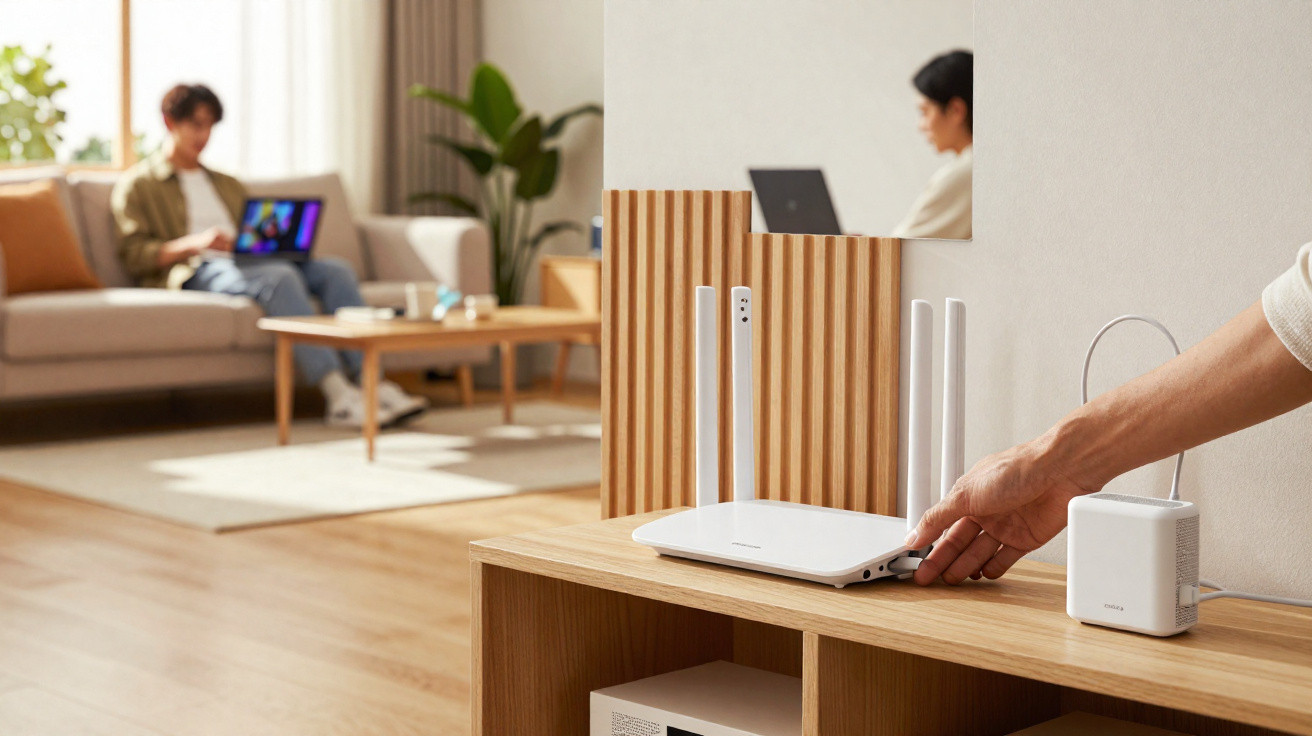
Hiding a Wi‑Fi router can make the living room look cleaner and more modern, with no flashing lights or trailing wires on show. However, it cannot be tucked just anywhere, because walls, metal and fully enclosed boxes can harm the signal and speed.
Why does hiding the router the wrong way make the internet worse?
A router spreads the internet using radio waves, which need to travel through your home with as little obstruction as possible. When the device is placed inside a closed cupboard, a metal container, or behind dense objects, coverage loses range and stability.
Wi‑Fi is a wireless communication technology used to connect devices to local networks. That is why the router should sit somewhere the signal can circulate, rather than being hidden inside a completely sealed compartment.
Before you disguise the device, keep these points in mind:
- Signal: the router needs open space to send out the waves.
- Open-weave fibres: natural baskets can conceal it without blocking as much.
- Metal: metal boxes, closed grilles and nearby appliances interfere far more.
- Height: place it off the floor, ideally in a central position.
- Ventilation: the device should not overheat inside closed containers.
Where should you place the router for better coverage?
In most homes, the best spot is near the centre, at a mid-level height, away from the floor and with no thick barriers close by. In open-plan living areas, an open shelf roughly 1.2 to 1.8 metres high often helps with better signal distribution.
Try not to leave the router behind the television, inside a closed TV unit, near the microwave, pressed against large mirrors, or next to aquariums. Water, metal, reflective glass and thick walls can cut range-especially in rooms further away from the device.
Which materials can hide the router without blocking Wi‑Fi as much?
Open-weave natural-fibre baskets, open niches, slatted wood, cane webbing, and decorative boxes with large side openings tend to work better than closed cupboards. They disguise the device while still allowing airflow and the propagation of waves.
Hide it, but don’t isolate
The router needs to breathe and transmit.
Use open-weave items, open shelving and mounts that do not smother the device.
If the signal drops after you move it, the hiding spot is blocking too much.
Decorative fake books can also work, as long as they are made from cardboard, thin wood or other lightweight material, with an open back and room for ventilation. The goal is to camouflage it visually-not to trap the router in a compact, hot box.
Good living-room options include:
- A straw or natural-fibre basket with a very open weave.
- An open wall niche with no door and no sealed back.
- A mount behind an open-frame picture or a slatted panel.
- A decorative fake book with rear and side openings.
- A cable-management tray to group the router, modem and cables.
Which materials interfere most with the router signal?
Metal is one of Wi‑Fi’s biggest enemies because it reflects and blocks part of the radio waves. Metal boxes, steel drawers, TV units with closed structures, and nearby appliances can all cause reduced range, drop-outs and instability in the connection.
Concrete walls, thick brickwork, large mirrors, aquariums and surfaces with lots of water also damage coverage. Natural fibres, thin plastic, light wood and cardboard usually interfere less-provided they do not form a thick, closed barrier.
Avoid positioning the router:
- Inside a closed cupboard or drawer.
- In a metal box, decorative tin or steel trunk.
- Behind the television or pressed against electronic devices.
- On the floor, behind the sofa, or in a very low corner.
- Near aquariums, large mirrors and thick walls.
How can you organise cables and keep the living room modern?
As with clever ways to hide cables in the living room, the key is to tidy without harming performance. Use adhesive trunking, clips, cable ties and trays to conceal wires without pulling or sharply bending the modem cables.
Once it is disguised, test the internet in the main rooms. If speeds drop or the signal becomes unstable, move the router to a higher, more open location. A living room looks modern when the device disappears visually, yet still delivers good coverage.




Comments
No comments yet. Be the first to comment!
Leave a Comment