
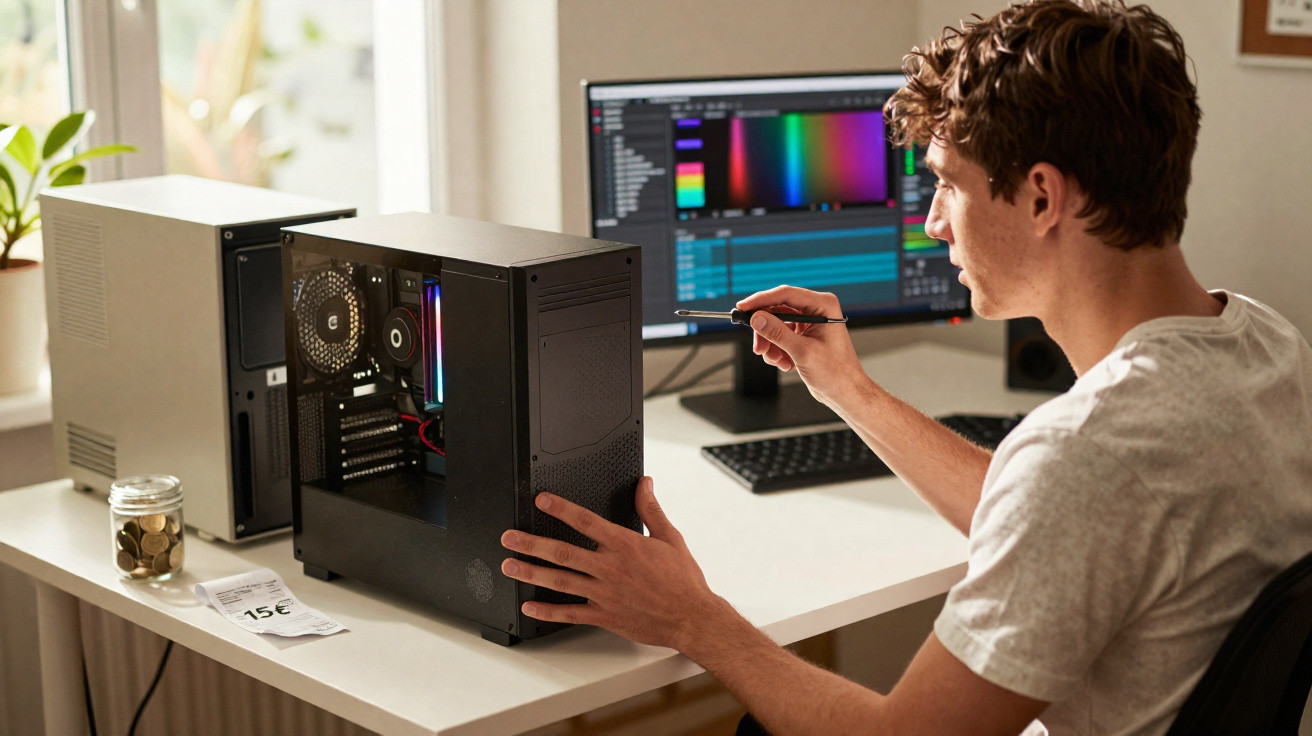
The listing looked painfully ordinary: “Old office PC, €15, works, collect quickly.” No proper specs, no meaningful photos - only a faded beige tower lurking behind a flower pot. It’s the sort of advert most people skim past without a second thought. Leo didn’t.
On a dull Tuesday evening, slouched on his sofa with nothing better to do, he clicked it, fired off a short message, and arranged to meet the seller in a car park behind a supermarket. €15 in cash. No warranty, no returns, no tracking number - just a quick handover.
He was braced for a loud, lethargic box that could manage YouTube and perhaps a bit of word processing - a temporary fix and nothing more. But once he got it home, popped the side panel and ran a few commands, the reality landed like a late-season plot twist.
This forgotten office PC was secretly a beast.
From dusty relic to unexpected powerhouse
At first glance, it was almost a let-down. The case was scuffed, the power button caught slightly, and an old “Property of Company X” label had been half-peeled from the side. You know the type: years of Excel, endless email chains, and relentless printer error pop-ups.
He dug a cable out of a drawer, plugged it in, pressed the button and waited for the familiar rasp of a dying fan.
Instead, it powered on quietly. No theatrics - just a brief whirr and the reassuring BIOS beep. Windows appeared, and it reached the desktop faster than Leo’s six-year-old laptop. That was the moment his suspicion kicked in. He opened the system information screen and stopped in his tracks: inside that €15 tower sat a respectable Intel i5 processor, 16 GB of RAM, and a 512 GB SSD. It wasn’t brand-new kit, but it was a long way from the museum piece he’d expected.
Naturally, he put it through its paces. He installed a clean operating system. He loaded up a few games from his Steam library. Titles that had barely limped along on his laptop suddenly ran smoothly and looked sharp on this former office workhorse. There were no RGB lights, no windowed side panel, no gamer aesthetic - just plain, unshowy performance. A machine that had spent its life crunching budgets was now quietly playing recent games at 1080p.
That mismatch - dull exterior, capable internals - is exactly what makes the used PC market so interesting.
Why €15 can go much further than you think
Leo’s experience isn’t a one-off miracle. Businesses, public bodies and large organisations often replace whole batches of computers after three, four, sometimes five years - not because they’ve failed, but because a contract ends, a warranty cycle rolls over, or an accounting policy says it’s time. Those machines get pushed into storerooms, sent to liquidation sales, posted on online classifieds, or funnelled into refurbishing warehouses. To the seller, it’s a line item. To you, it can be a bargain.
Plenty of these systems were mid-range or even high-end when they were bought: decent processors, generous RAM, and solid components. They were designed to run a full working day, every day, for years. Once they’re retired from corporate life, their price collapses. The second-hand value tends to track age rather than real-world capability. That’s how you end up seeing €15–€50 towers which, with a bit of care and a modest upgrade, can compete with new machines that cost three or four times as much.
There’s a psychological angle too. New-looking laptops and flashy gaming rigs grab all the attention. Plain beige or black office towers feel “old” even when the parts inside are still more than up to the job. We judge tech the same way we judge strangers in a waiting room: by appearance, posture, and first impressions. The second-hand market, however, rewards anyone who can read a spec sheet instead of a sticker. Hidden power tends to live in the most boring boxes.
How to turn an old office PC into a modern weapon
There’s a practical approach to finding your own €15 gem. Begin by focusing on business or “pro” lines from well-known manufacturers: Dell OptiPlex, HP EliteDesk, Lenovo ThinkCentre. They’re not exciting, but they’re common and built like tanks. Aim for listings that include at least the processor model (for example “i5-4570” or “Ryzen 5 2400G”) and the amount of RAM. If the seller isn’t sure, ask for a photo of the “System” window or the label on the case.
Then, in your head, add a small upgrade allowance. A second-hand SSD can cost less than a pizza, and an extra 8 GB of RAM can turn an awkward, stuttering PC into a genuinely capable multitasker. The formula “i5 or Ryzen + SSD + 8 or 16 GB RAM” is the sweet spot for around 90% of people: office work, browsing, streaming, light photo editing, and a surprising number of games. If you need more graphics power, a used low-profile GPU is often available for under €50 and will fit neatly into many office towers.
Most people stall at the fear stage: fear of opening the case, fear of snapping something, fear of “not being technical enough”. In reality, it’s rarely dramatic. With a screwdriver, two YouTube videos and a bit of patience, swapping a drive or adding RAM is almost as straightforward as changing batteries in a remote. Let’s be honest: hardly anyone does this every day. But doing it once or twice can genuinely double the useful life of a machine that cost less than a cinema ticket.
The mistakes that kill good deals (and how to avoid them)
The number-one trap is letting the low price cloud your judgement. A €15 PC that won’t power on isn’t a bargain - it’s a lottery ticket. Request a photo or video showing it running. Make sure it boots into an operating system, or at least reaches the BIOS. If you’re collecting in person, take a USB stick and, if you can, a small display cable so you can test it there and then. That isn’t paranoia - it’s simply avoiding a useless lump of plastic and metal.
Another common error is forgetting about upgrade headroom. Some ultra-compact office PCs use proprietary power supplies or cramped cases. They can be great as basic office machines, but later adding a proper graphics card can be a headache. That doesn’t make them pointless - just restricted. If your goal includes gaming or video editing, look for a small or mid-tower rather than a micro box. Think of it like buying a small flat: is there at least enough room to rearrange things?
There’s an emotional element as well. Buying from a private seller can make you feel hurried, awkward about asking questions, or tempted to agree too quickly. Don’t. You’re entitled to say, “I’d like to confirm the specs first,” or “Can we test it while it’s plugged in?” Trust has to be earned.
One refurbisher I spoke with captured it perfectly in a line I couldn’t forget:
“Used machines are like people: the ones with a rough surface often have the best stories - you just need five extra minutes to listen.”
- Always ask for the exact processor model
- Prioritise an SSD over a large hard drive for day-to-day responsiveness
- Check for at least 8 GB of RAM, upgrade later if needed
- Look for HDMI or DisplayPort output if you’re using a modern monitor
- Avoid sellers who refuse a basic test or won’t provide an extra photo
What this €15 PC really says about our tech habits
Leo didn’t merely get lucky with a cheap PC that could handle gaming. He also stumbled into an uncomfortable truth about how we buy and replace technology. We treat computers like fashion: something to swap out because the design has changed, the bezel is thinner, or the marketing copy sounds fresh. Meanwhile, the real computing power sitting inside millions of “old” machines is often far from outdated - it’s simply no longer in the spotlight.
Every dusty tower in a classifieds listing raises the same question: how much performance do you actually need, and how much money is going towards the feeling of buying something “new”? Of course, a €15 PC won’t suit everyone. Anyone doing 3D work, heavy video production, or AI still needs high-end hardware. For everyone else, though, the boundary between “too old” and “still excellent” sits much further away than we’ve been taught to assume. That space is where savings and ingenuity meet.
So the next time an ugly office PC flashes past on your screen, it might be worth pausing. Ask what processor is inside. Zoom in on the photos. Picture what a small SSD, a bit more RAM and an evening of tinkering could unlock. There’s a particular satisfaction in getting more life out of something everyone else has written off - and sometimes, for the price of lunch, you discover the strongest machine in the room is the one nobody wanted.
| Key point | Detail | Value for the reader |
|---|---|---|
| Hidden potential of office PCs | Ex-business machines often have strong processors and plenty of RAM | Spot real performance behind a boring exterior and save money |
| Simple upgrades | Adding an SSD and RAM transforms a “slow” PC into a responsive one | Turn a cheap tower into a comfortable daily machine or entry-level gaming rig |
| Smart buying habits | Check specs, test on the spot, favour pro models and standard towers | Avoid bad deals and increase the chances of finding your own €15 gem |
FAQ:
- Question 1 Can a €15 used PC really run modern games?
- Answer 1 Some can, some can’t. If the processor is at least an Intel i5 4th gen or a Ryzen, with 8–16 GB of RAM and an SSD, many e-sport and older AAA games will run fine at 1080p, especially with a modest used graphics card.
- Question 2 Isn’t it risky to buy from private sellers?
- Answer 2 There’s always some risk, but you reduce it a lot by asking for proof the PC boots, checking the exact specs, and testing it briefly in person. If a seller refuses any test, walk away.
- Question 3 What should I upgrade first on an old office PC?
- Answer 3 Start with an SSD if it doesn’t have one. That single change usually makes the biggest difference. Then move to RAM, aiming for at least 8 GB, ideally 16 GB for more comfort.
- Question 4 Can I use a cheap used PC for video editing?
- Answer 4 Yes, for light or occasional editing. A quad-core CPU, 16 GB of RAM, an SSD, and a basic GPU can handle 1080p projects. For 4K, complex effects, or professional work, you’ll need something more powerful.
- Question 5 How do I know if a used PC is still “worth it” today?
- Answer 5 Check three things: processor generation (not older than i5 3rd/4th gen or equivalent), RAM amount (at least 8 GB), and presence or possibility of an SSD. If those three are okay and the price is low, the deal is usually interesting.





Comments
No comments yet. Be the first to comment!
Leave a Comment