
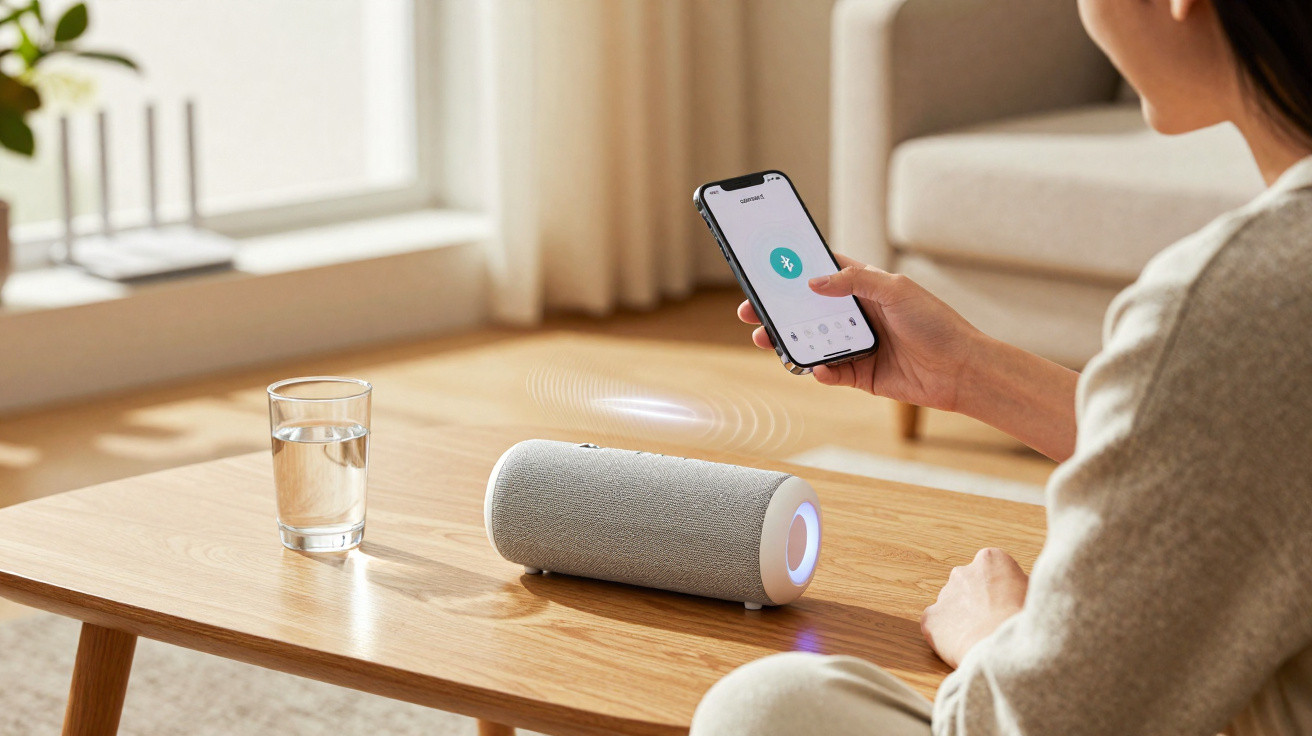
Connecting a phone to a Bluetooth speaker sounds straightforward, but a few small tweaks can noticeably improve volume, connection stability and audio clarity. The best results come from pairing the devices properly, keeping them close together, reducing interference, and playing files or using apps that deliver good playback quality.
How do you prepare the phone and speaker before pairing?
Before you start a Bluetooth connection, charge the speaker, make sure the phone has enough battery, and place the two devices near each other. The first connection often fails when the speaker is nearly flat, already linked to another phone, or not actually in pairing mode.
On the speaker, press and hold the Bluetooth button until the indicator light flashes or you hear a pairing tone. On JBL, Sony, LG, Mondial, Philco and other brands, this control may show the Bluetooth symbol or be combined with the power button.
What are the steps on Android and iPhone?
On Android, open Settings, go to Bluetooth, tap Pair new device, and choose the speaker’s name when it appears in the list. On some Samsung, Motorola and Xiaomi phones, you can also press and hold the Bluetooth icon in the quick settings panel to jump straight to the nearby devices screen.
- On iPhone, open Settings, tap Bluetooth, and switch it on.
- Put the speaker into pairing mode.
- Wait for the speaker name to appear under Other Devices.
- Tap the speaker name and wait for the connection confirmation.
- Open a music app and test the volume at a low level first.
How do you avoid losing audio quality over the connection?
Sound quality is not determined by Bluetooth alone. The file you play, the music app, the phone’s volume level, the codec the speaker supports, and the distance between the devices all affect the final result. For music, the Bluetooth profile used is A2DP, designed specifically for higher-quality stereo audio transmission.
Avoid setting your phone volume to maximum and controlling everything only from the speaker, because some models can distort that way. Start with the phone between 70% and 85%, then fine-tune the level on the speaker, and turn off heavy equalisers that boost bass and treble at the same time.
What should you do when the speaker won’t connect or keeps cutting out?
If the speaker doesn’t show up in the list, the cause is usually a previous connection, too much distance, low battery, or a full Bluetooth memory. The first thing to try is turning Bluetooth off on the phone, turning it back on, and restarting the speaker.
- Remove the speaker from the list of saved devices and pair again.
- Disconnect the speaker from other nearby phones, tablets or laptops.
- Keep the phone and speaker within a few metres, with no thick wall between them.
- Move away from routers, microwaves and other wireless devices if you’re getting drop-outs.
- Update the phone’s operating system and, if the brand offers its own app, check the speaker firmware.
- If nothing works, reset the speaker by following the manufacturer’s manual.
How do you keep the signal stable during use?
Once connected, leave the phone in a fixed spot, with the screen locked, but avoid using extreme battery saving for the music app. At parties, barbecues or in outdoor settings, the link tends to be steadier when the speaker is raised up and the phone isn’t in someone’s pocket while they’re constantly moving around.
Bluetooth audio performs best with a clean pairing, minimal interference and a good-quality music source. With the speaker charged, a short distance between devices, properly set volume and the correct output device selected, music plays more clearly with fewer interruptions during use.


Comments
No comments yet. Be the first to comment!
Leave a Comment