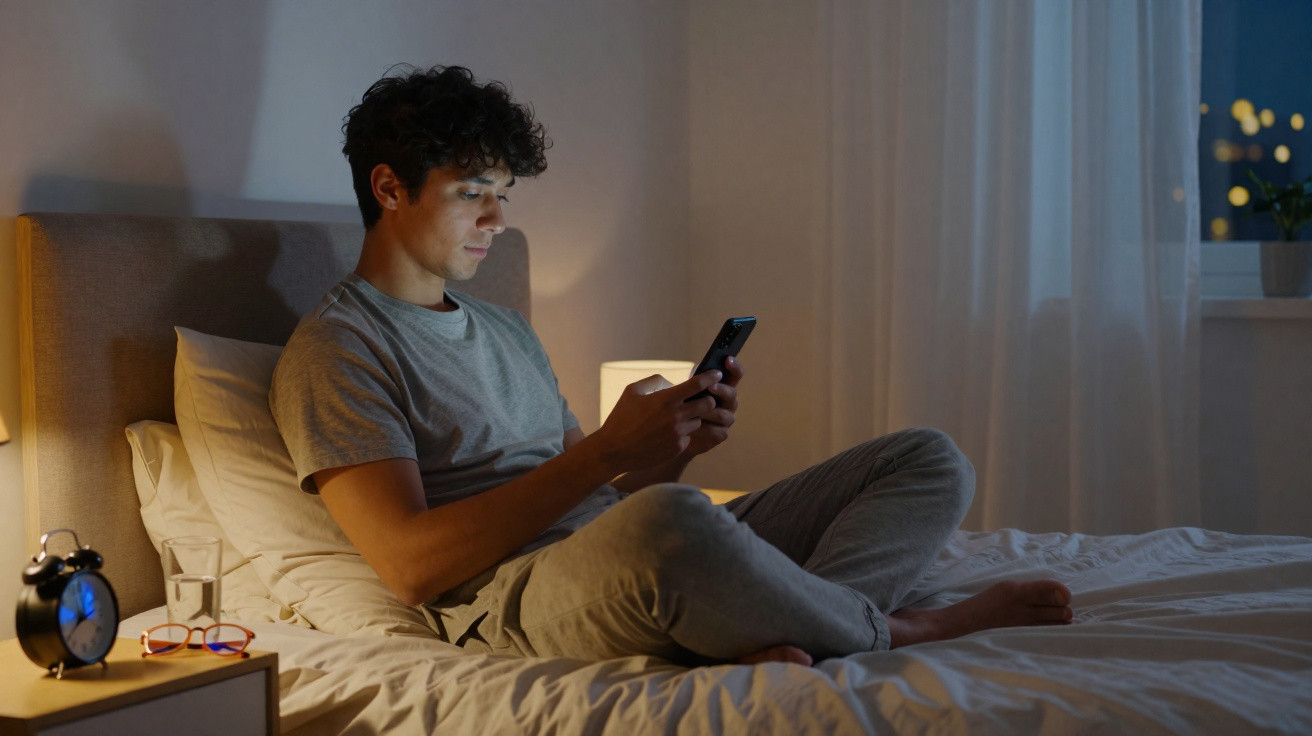
The bedroom is dark, the alarm is set – yet your mind keeps racing because you simply had to check your phone.
When people cannot settle down in the evening, they often blame stress, caffeine or worries. Yet an overlooked disruptor is frequently right there in their hand: the smartphone display. Ignoring the right settings in the menu can reliably throw your body clock out of sync – night after night.
How your display quietly resets your body clock
What blue light from your phone does to your sleep
Modern smartphone and tablet screens use LED technology, which emits a high proportion of blue light. To your body, this can feel like a brilliantly bright late morning – even when it has long been dark outside.
Your brain responds strongly to light signals. Bright, bluish light tells it to stay active, awake and alert – precisely the opposite of what you need in the evening. As a result, your body releases the sleep hormone melatonin noticeably later.
Studies show: Looking at bright displays for longer in the evening delays the natural time you fall asleep by 30 to 90 minutes.
You notice that delay immediately. You remain awake for longer, drift rather than sleep deeply, and wake the following morning feeling more sluggish than necessary. This can happen even if you dutifully spend eight hours in bed.
Why adjusting the display can noticeably improve the night
No one expects you to lock your phone in a cupboard from 18:00. Realistically, we read messages, send a quick email, scroll through social media or watch a series. The key question is therefore not whether you use the device, but how you use it.
Once your eyes are exposed to less harsh light, your body can return to its natural evening mode. Melatonin production begins earlier and sleep becomes deeper. Many people report that, after a few days of reduced light and warmer colours, they genuinely fall asleep more easily and feel clearer in the morning.
Anyone who softens their evening light environment gives their hormonal system a clear signal: It is heading towards sleep – not towards an open-plan office.
The crucial two-step change in your smartphone settings
Halve the brightness and switch on night mode early enough
The most important control is found directly in your phone’s display settings. Two measures are enough to noticeably reduce the strain on your brain:
- Keep brightness permanently at around 50 per cent
- Set night mode or the blue-light filter to switch on automatically from early evening
Halving the brightness reduces the overall light stimulus. Night mode shifts the colour spectrum away from harsh blue and towards warmer yellow and orange tones. This makes the display feel less like a miniature floodlight and more like a dimmed lamp.
The effects are easy to show in a short overview:
| Display setting | Recommended adjustment | Effect on your sleep |
|---|---|---|
| Brightness | Limit it to no more than half | Less light stimulus and less delay to your sleep onset |
| Colour spectrum | Enable night mode / blue-light filter | Reduces the burden on your body clock and eyes |
Once configured, these adjustments run automatically – and work every night without you needing to think about them again.
The two-hour rule before bed
Many people make the mistake of turning down the brightness only when they are already halfway into the pillow. Medically, that achieves little. The body has a delayed response to light stimuli, so by then you have already received part of the “harmful effect”.
To make the protective measures effective, it is worth following a clear routine:
- Set night mode to activate two hours before your planned bedtime (using the schedule in your phone menu).
- Avoid harsh alternatives during this period, such as very bright laptops without a filter.
- Where possible, choose content that does not cause further agitation – recipes or news rather than heated discussions.
These two hours are the vital preparation phase in which your body gradually switches to “winding down”. Display light that is too strong at this point is like pressing the sleep brake while you are also accelerating.
If phone use is unavoidable: protection with special glasses
Orange-tinted filter glasses as a fallback option
Anyone who needs to use a screen and smartphone for work in the evening, or honestly knows they will not give up a night of watching series, can add another layer of protection. So-called blue-light-filter glasses with orange lenses block a large proportion of short-wavelength light.
You may look as though you are about to enter a factory floor, but the effect is measurable: less blue light reaches the retina, and melatonin balance is disrupted less. Especially when combined with dimmed screens, they offer an effective compromise between digital everyday life and sleep hygiene.
Filter glasses do not replace good display settings; they act more like an additional shield for stressful evenings.
A new evening routine: small changes with a big impact
Ultimately, it comes down to a handful of simple habits that can be built into daily life without much discipline:
- Turn the screen brightness down a little during the day – and leave it there.
- Schedule fixed times for night mode, for example from 20:00.
- Use blue-light-filter glasses if evening work or long series sessions are ahead.
- Use the final 30 minutes before sleep for calmer content – no more frantic scrolling.
After a few days, the first effects often become apparent. Many people say they no longer feel so “wired” while lying in bed. The time it takes to fall asleep shortens, and waking up feels less like a battle.
What the term “blue radiation” actually means
A brief look at the biology, without technical jargon
Blue light sits at the short-wavelength end of the visible spectrum. Sunlight contains plenty of it, particularly during the day. Through evolution, the body has learned: blue means day, red means evening. The eye contains specialised cells that report this light to the body clock in the brain.
If these cells receive strong blue light in the evening, they signal: stay awake. The pineal gland, a small gland in the brain, then slows melatonin production. Less melatonin means that you feel less sleepy, even when you are actually tired.
That is exactly the signalling chain you interrupt when you dim your display and use warmer colours. The message sent to the brain is then more like this: things are becoming quieter, and night can arrive.
How to fit the changes into everyday life
Practical examples for typical evenings
A few scenarios illustrate how the theory works in everyday life:
- Series fan: You watch two episodes on your smartphone in the evening. Solution: turn down the brightness, activate night mode at the start of the first episode and, if needed, wear filter glasses. After the final episode, spend ten minutes without a screen – dim the lights and air the room briefly.
- Work emails: You work late. Solution: enable night mode on both laptop and phone, reduce brightness substantially, and set a clear limit: during the final 30 minutes before sleep, write only short notes and do not begin major projects.
- Scrolling through social media in bed: Until now, this has been the classic obstacle to sleep. Solution: use the phone only up to the bedroom door; in bed, take no more than a brief look in dim light – a book or deliberate switching off is better.
People who take these small adjustments seriously often notice change sooner than expected. Opening the settings may seem almost trivial, but the effect on the night is clear. Your body repays it with more restful sleep and a mind that does not immediately demand its third coffee in the morning.










Comments
No comments yet. Be the first to comment!
Leave a Comment