
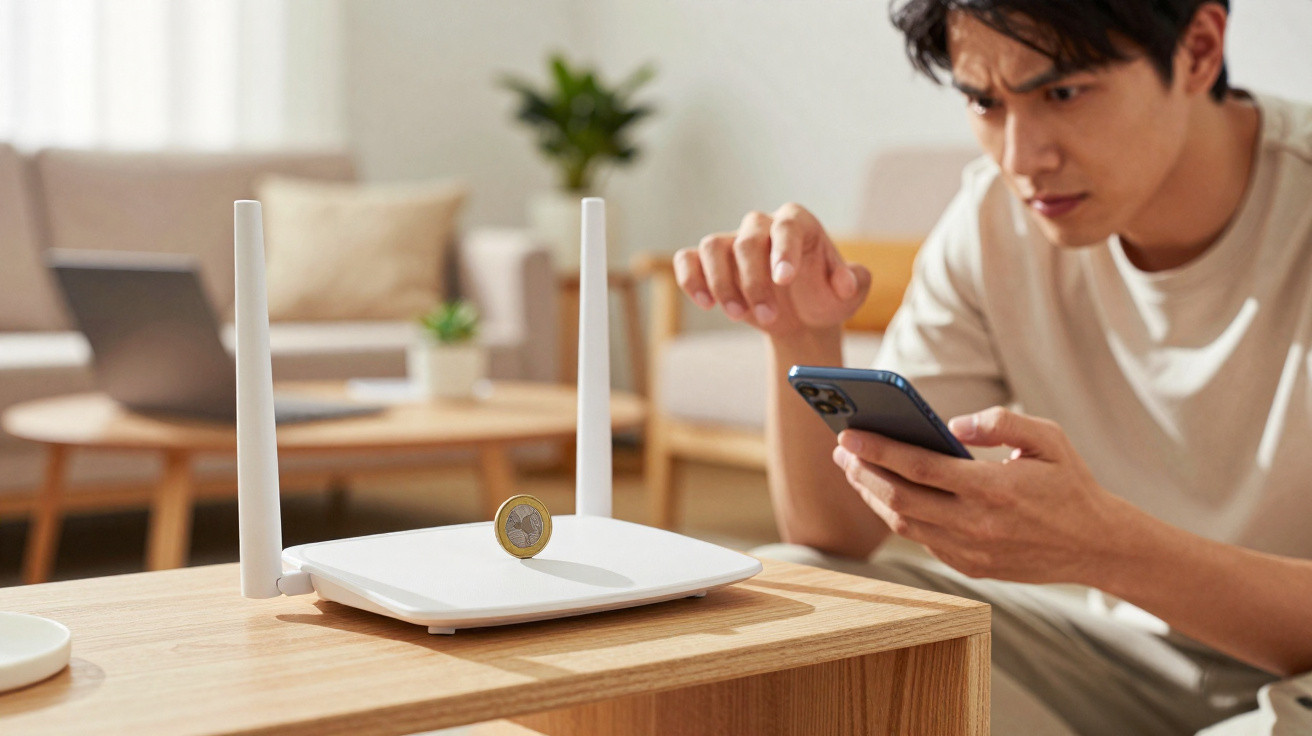
Placing a coin on top of a Wi‑Fi router is a viral “hack” that claims to boost the connection, steady the signal, or help the device shed heat. It sounds plausible at first glance-metal conducts electricity and can interact with radio waves-but a loose coin sitting on the casing does not work as a proper aerial. In real use, the effect is usually none at all, and it can even hinder airflow, coverage, and overall network performance.
Why do people put a coin on top of the router?
The idea spread through videos and home tips that treat the coin as a metal piece able to “pull” the Wi‑Fi signal or redistribute it more effectively. Because routers transmit using electromagnetic waves, many people assume that any metal near the unit will automatically improve reception.
The snag is that an aerial needs the right shape, size, placement, and an electrical connection that matches the router’s circuitry. A coin simply resting on the outer shell is not part of the router’s internal system, so it cannot provide any consistent, technical gain.
Does the coin actually improve the Wi‑Fi signal?
In most situations, no. If someone notices a better connection after adding a coin, it is more likely due to normal network fluctuation, the router being moved slightly, fewer people using the internet at that moment, or plain coincidence.
Wi‑Fi performance depends on much more tangible factors:
- The distance between the router and the connected device.
- Walls, doors, mirrors, and furniture in the signal’s path.
- Interference from microwaves, cordless phones, and other routers.
- How many devices are using the network at the same time.
- Aerial positioning and whether you are using the 2.4 GHz or 5 GHz band.
Why can this “hack” actually make things worse?
Putting a coin on a router may look harmless, but routers need to dissipate heat. Many models have vents on the top or sides, and anything left on the casing can reduce ventilation.
There is also the possibility that the metal ends up too close to internal aerials, creating minor interference or small local blocking of the signal. Even if the impact is subtle, there is no clear technical advantage that justifies keeping metal objects on top of the equipment.
What should you do to genuinely improve Wi‑Fi?
Start by moving the router out of hidden corners, drawers, cupboards, and spaces behind the television. Coverage is typically better when the device sits centrally, higher up, and unobstructed by large objects.
Simple changes tend to be more effective than the coin trick:
- Put the router on a high, open shelf.
- Keep it away from thick walls, metal surfaces, and mirrors.
- Avoid placing it next to a microwave or large speakers.
- Use the 5 GHz network for shorter distances and higher speeds.
- Use the 2.4 GHz network to reach rooms that are further away.
- Restart the router if the connection has been unstable for many hours.
Is it worth testing a coin on the router?
The coin-on-top-of-the-Wi‑Fi-router trick is more of a curiosity than a solution. It caught on because it is easy, costs nothing, and seems to have a visual logic, but it does not replace correct placement, good ventilation, choosing a less congested channel, or using equipment suited to the size of your home.
If your internet drops out frequently, the better approach is to note where the signal fails, reposition the router, review and update settings, and consider a repeater, a mesh system, or replacing the router if coverage is inadequate. A coin will not fix walls, interference, overheating, or too many devices sharing the same network.




Comments
No comments yet. Be the first to comment!
Leave a Comment