
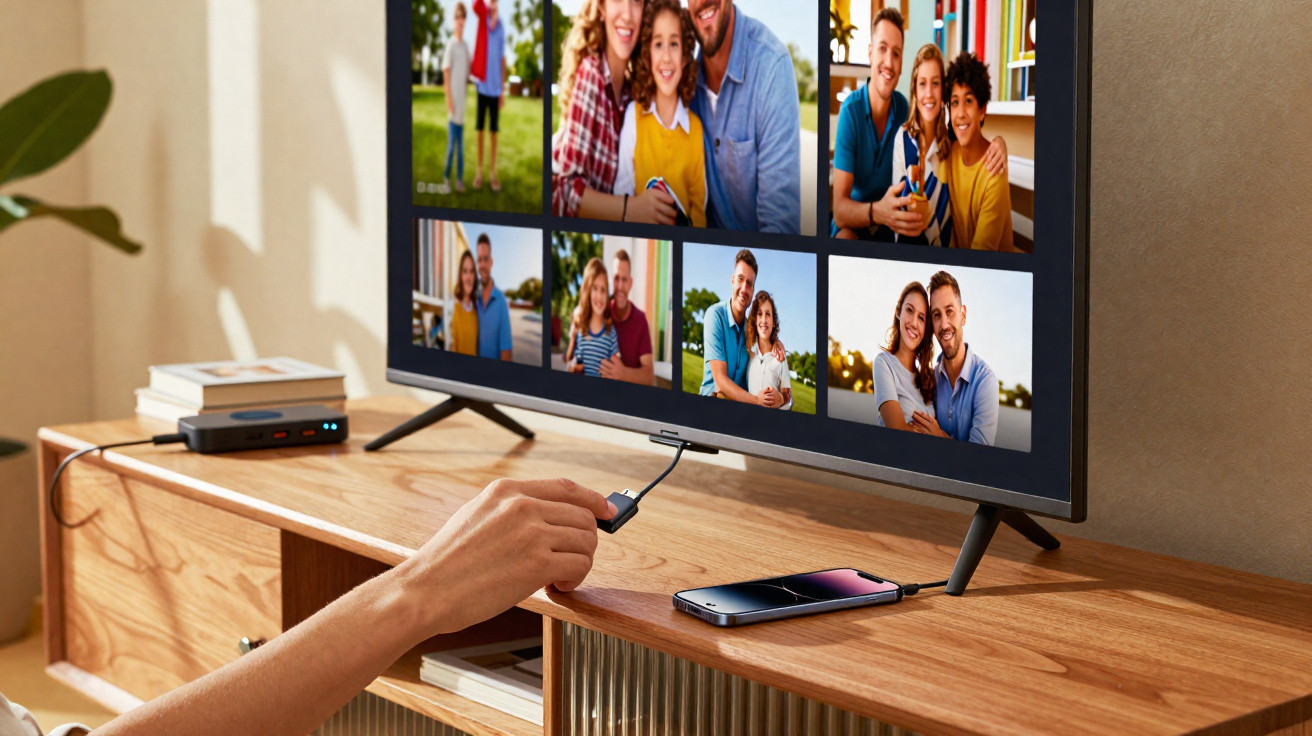
Mark, a mate of mine, was crouched down behind his brand-new 4K TV, head tipped to one side, squinting at the row of sockets. “HDMI 1, HDMI 2… optical… what’s this USB even for?” he grumbled, prodding the lonely port as if it had done him wrong. Then he gave up, picked up the Netflix remote, and ignored that port completely.
A few weeks later I went round again, and that same USB socket had quietly become the workhorse of his whole set-up. His phone was sipping charge from it, a little USB stick was playing old family videos, and a small dongle was streaming lossless music in the background. No fuss. Just genuinely useful.
That small rectangular USB port on the back of your TV is a bit like a spare room at home: usually shut and forgotten. Things get interesting the moment you actually open the door and use it.
1. Use the USB port as a silent media player
The most straightforward use is also the one most people never bother with: using your TV’s USB port as a simple media hub. Plug in a memory stick or an external hard drive and, suddenly, your telly can play your own files directly-no Wi‑Fi worries, no buffering circle, no extra box. For holiday photos, home videos, or films you’ve saved offline, it’s oddly freeing.
On a large screen, all those little clips that normally live (and disappear) on your phone start to feel worth watching again: the kids’ birthdays, the wobbly concert video from 2014, the sunset from that trip you watched once and then forgot about. Yes, the built-in media player on many TVs is fairly basic, but when it supports your files it simply works-and in those moments, the TV feels like it’s finally making proper use of its size.
There’s a small technical detail behind why this can be so hit-and-miss. A lot of TVs will read common formats straight from USB-MP4, MKV, JPG and MP3-without any additional kit. Some will even remember where you paused a film, provided you leave the same USB drive connected. The downside is that compatibility varies hugely depending on the brand and the model year, which is why plenty of people try it once, get an “unsupported format” message, and never try again. The better approach is to adjust the files rather than change your habits: a quick re-encode on a laptop is often all it takes to make that error disappear permanently.
2. Turn your TV into a giant digital photo frame
There’s something quietly satisfying about walking into a room and seeing your own life rotating on the wall. Not a generic mountain wallpaper or a stock city skyline-your actual photos, the slightly imperfect ones that only exist in your camera roll. With a simple USB stick of images, your TV can switch from “content machine” to a living memory wall.
On certain smart TVs, a slideshow begins automatically as soon as the USB drive is detected. On others, you open “Media” or “Photo” from the remote, choose a folder, and press play. A lounge with slow-changing family pictures has a different feel to it-softer, more personal. Less like an electronics shop display, more like a home that just happens to have a big screen.
Most of us have had the realisation that years of photos are trapped in the cloud somewhere, buried under screenshots, forwarded memes, and app clutter. Picking a few dozen important images, copying them to a USB stick, and letting them loop on the TV can be surprisingly therapeutic. You don’t need fancy transitions-just clear photos, full-screen, on a device you already own. That is the opposite of planned obsolescence.
3. Power small devices the smart way
This is where the USB port is seriously underestimated: it isn’t only for data-it’s also a free power source that’s often controlled by the TV’s own on/off state. Plenty of low-power gadgets run happily from a TV USB port: streaming sticks that mainly need power, LED bias lighting that turns on and off with the screen, and even small wireless HDMI receivers. No extra plug adapter. No added tangle of cables.
Take LED strips as an example. Connect them to a USB port on the back of the TV, stick them around the frame, and you get a cinema-style glow with almost no effort. TV on, lights on. TV off, lights off. The same idea applies to devices like a Chromecast or Fire TV Stick that just needs a 5V supply-power it from the TV instead of taking up another wall socket. In effect, the TV becomes the “master switch” for a whole tiny ecosystem.
Let’s be honest: hardly anyone unplugs chargers and power bricks every night purely to save a few watts. Using the TV’s USB socket as a controlled power feed is a neat compromise. It reduces phantom power draw when the TV is asleep, keeps cables tucked behind the screen, and makes the routine of switching everything on and off simpler. It’s a small win, but it improves day-to-day comfort.
4. Charge your devices where you actually live
This one is almost too dull to mention-which is precisely why it works so well. That USB port can be a casual charging point exactly where you sit. You’re on the sofa, your phone drops to 8%, and the proper charger is in the bedroom: with a short cable from the back of the TV, the panic becomes a non-issue. It won’t be “fast charge”, but for a top-up during a film, it’s ideal.
A tiny habit like this changes the feel of the room. Instead of arguing over the one visible socket or rummaging behind furniture, people naturally plug in near the telly for half an hour. Visitors spot the cable quickly and ask, “Can I use that?” No hunting around, no blaming whoever “stole” the kitchen charger-just a quiet shared convenience.
“The best tech upgrades are often invisible. You only notice them when they’re gone.”
A few practical points are worth remembering. Many TV USB ports supply roughly 0.5A–1A, so tablets and larger phones will charge slowly. Some TVs cut power to USB completely when in standby, while others continue to supply a small trickle depending on the settings. Cable quality matters too: a worn or damaged lead can make charging feel painfully sluggish. Even so, as an everyday convenience charge point, a TV USB port is usually good enough.
- Use the TV’s USB mainly for slow overnight charging or “during the film” top-ups.
- Check the settings to see whether USB power stays on in standby.
- Mark the TV’s charging cable with tape so it doesn’t wander off to another room.
Why that “useless” port suddenly matters
Once you start experimenting with that neglected USB socket, the TV stops being just a one-way pipe to Netflix. It becomes a more adaptable part of your home: you can charge devices there, play files that aren’t on any streaming service, and bring personal memories back into the centre of the room. It isn’t a revolution-more a subtle shift in who’s in control.
What stands out is how often people buy expensive kit and only use a fraction of what it can do. The USB port represents that gap between potential and reality. It won’t perform miracles, and it won’t turn a 2013 panel into a 2026 flagship, but it does open up enough options to make the TV feel less one-directional: less “feed me content”, more “here’s what I want to do with you”.
Some people will use it as a photo frame, others as a little power hub, and others as a discreet media player they can take from home to a holiday rental. There isn’t one “correct” use-only the one that quietly makes daily life easier. The fun begins when you stop treating the TV as a finished product and start seeing it as a flexible screen with a few tricks still hidden away.
| Key point | Detail | Benefit for the reader |
|---|---|---|
| Media playback via USB | Play films, music and photos directly from a flash drive or hard drive | Enjoy offline content with no buffering or extra box |
| Photo frame mode | Loop curated pictures on the big screen using the USB port | Bring personal memories back into the living room |
| Power and charging | Use USB to power small devices and charge phones from the sofa | Reduce cable clutter and make the TV area more practical |
FAQ:
Can using the USB port damage my TV?
Under normal use, no. TVs are built to handle USB sticks and low-power devices. Issues tend to arise only with power-hungry gadgets that try to draw more current than the port can supply.Why doesn’t my TV recognise my USB drive?
It’s often down to the file system or the format. Many TVs will only read FAT32 or exFAT, and some older models have limits on drive capacity or struggle with certain video codecs, such as unsupported MKV variants.Can I use the TV’s USB to record live TV?
Some models support PVR recording to USB and some don’t. If your remote or the on-screen menus include “Record” or “Timeshift”, there’s a decent chance it will work with a compatible USB stick or external drive.Is it safe to leave a USB stick plugged in all the time?
In general, yes-so long as the stick isn’t overheating and the port isn’t being physically strained. If the drive contains sensitive data, avoid leaving it exposed in shared spaces.Why does my phone stop charging when the TV is off?
Many TVs disable USB power in standby to save energy. Some include a setting such as “USB power in standby”; if yours doesn’t, the port will only provide power while the TV is on.




Comments
No comments yet. Be the first to comment!
Leave a Comment