
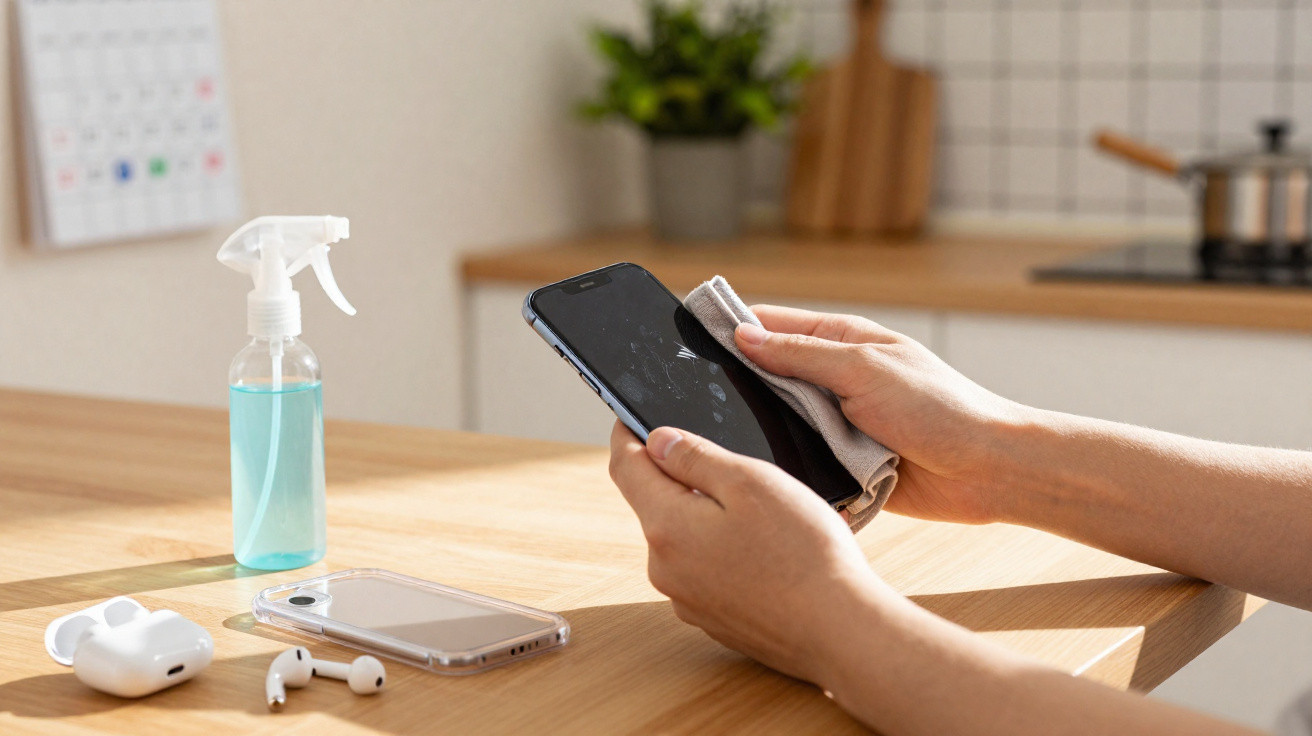
The last genuinely clean surface your phone probably met was the packaging it arrived in.
After that, it’s been laid face-down on café tables, perched on the cistern in public loos, handed around at parties, and crammed into pockets alongside loose change, crumbs and who-knows-what. Then, almost automatically, you hold it to your cheek, type your PIN with the same hands that just gripped the bus rail, and pass it to your toddler for cartoons while you eat. Your phone is basically a third hand - except you never wash it.
We clean our faces, wash our clothes, and even give reusable water bottles a proper scrub now and then. The device that sits centimetres from your nose and mouth? That often gets a quick, half-hearted swipe on the side of your jeans. Once you clock what can be living on that glass, you can’t really un-know it. That’s usually the point where a weekly routine starts to feel oddly sensible.
The invisible filth you carry everywhere
We’ve all had that moment: the screen lights up in the dark and you catch the streaks. Make-up, fingerprints, that thin greasy film that never fully disappears. It’s a bit grim, yes - but the unseen reality is bigger: a tiny, bustling mix of bacteria, dead skin, food bits and whatever you picked up at the supermarket self-checkout earlier. That smooth little rectangle has quietly become the most-handled, least-washed thing you own.
Studies where researchers swab phones have found more bacteria than on some toilet seats. It sounds like scare-mongering until you replay your phone’s daily itinerary: the kitchen worktop, a gym bench, the hand of a mate who just sneezed, the bottom of your bag next to dusty trainers. Then it follows you to bed, lands on your pillow, and rests against your face as you doomscroll past midnight. Your phone doesn’t only carry your messages; it carries your day.
Plenty of those microbes won’t hurt you - most bodies cope just fine. Trouble tends to start when “harmless” meets a run-down immune system, winter colds, or an unlucky cocktail of germs. Add in small nicks on your fingers, absent-minded lip-touching, or rubbing your eyes without realising, and it starts to make sense. That’s why weekly sanitising isn’t about being a germ-obsessed neat freak; it’s simply about not giving every stray bug a free lift straight into your body.
Why weekly beats “whenever I remember”
Be honest: hardly anyone sits there disinfecting their phone every single day like some kind of tech priest. Real life is untidy. You’re sprinting for the train, juggling kids, replying with one thumb while stirring pasta with the other. A daily cleaning habit sounds responsible on paper - and then evaporates the second work ramps up or you hit snooze three times. “Whenever I remember” usually becomes “every time I read a horrifying headline about bacteria”, and then it’s back to nothing again two days later.
Weekly works differently. Weekly feels manageable, like taking the bins out or changing the bedsheets. You can attach it to an existing moment: a Sunday night reset, a midweek tidy, or that quiet ten minutes after the kids are asleep. The aim isn’t sterile perfection; it’s a consistent reset that keeps your phone from becoming a microscopic petri dish.
There’s a subtle mindset change as well. Once you decide you’ll clean your phone every week, you start handling it differently the rest of the time. You clock when you drop it onto a sticky café table, you think twice before scrolling in the loo, and you’re more likely to wipe your hands after the Tube before tapping the screen. That weekly clean becomes a small anchor - a reminder that this thing you’re glued to still lives in the physical world, not only in a glowing pane of light.
What you should never do to clean your phone
Before the “how”, it’s worth being clear on the “don’t”, because plenty of us have made some questionable choices. If you’ve ever casually sprayed your screen with kitchen cleaner or scrubbed it with a wet wipe that smells a bit too much like lemon floor stuff, you’re in good company. Harsh chemicals can wear away the oleophobic coating that helps keep fingerprints under control, and over time your display can end up looking permanently smeary or cloudy.
Dunking your phone in water - even if it’s “water-resistant” - is another bad-but-tempting idea. Water plus speakers, charging ports and microphones turns into a nervous waiting game where you spend the next 24 hours checking whether the audio still works. Even a cloth that’s too wet can force moisture into places it shouldn’t go. That satisfying squeaky shine isn’t worth a repair bill that costs more than a weekend away.
Then there’s the fabric problem. A scratchy tea towel, the cuff of your jumper, a paper napkin from a takeaway coffee - all of them can leave tiny micro-scratches over time. You won’t notice day by day, but months later you’ll find yourself tipping the phone under a lamp and wondering why it suddenly looks tired. Cleaning should protect your phone, not age it faster.
The simple, safe weekly sanitising routine
Step 1: Power down and unplug
First, switch your phone off fully - not just locked, but properly powered down - and disconnect it from chargers and headphones. It feels odd for a moment, that brief hush when the buzzing hub of your life goes quiet, but it’s worth it. A powered-off phone is safer to clean, less likely to take on moisture in the wrong places, and easier on your eyes when you’re close to the screen.
Set it on a clean, dry, soft surface: a folded tea towel, a microfibre cloth, anything that isn’t gritty or dusty. Think of it as preparing a tiny operating table for your most overworked gadget. You’re not only removing yesterday’s fingerprints; you’re giving it a proper check-up.
Step 2: Start with a dry microfiber cloth
Use a proper microfibre cloth - the sort you’d use for glasses or a camera lens. With light pressure, wipe the screen in slow circular movements, then do the back, the sides, and around the buttons. This dry first pass lifts dust and loose debris, so you don’t end up grinding it into the glass once you introduce liquid. Watching the smears fade is oddly satisfying - like wiping away the week’s thumbprints.
Give extra attention to the camera lenses and the area by the earpiece. That’s where make-up, pocket fluff and skin oils love to build up, quietly blurring your photos and dulling call audio. Spending a few more seconds there can sharpen selfies and make calls sound clearer - a nice bonus alongside the hygiene win.
Step 3: Use a gentle disinfecting solution
For proper sanitising, you don’t need anything fancy or aggressive. A 70% isopropyl alcohol solution is the sweet spot: strong enough to tackle most everyday germs, but mild enough not to damage modern screen coatings when used sparingly. You can buy it in small bottles or as pre-moistened wipes made for screens. If you’re using liquid, dampen (don’t soak) a corner of the microfibre cloth - it should feel cool and barely wet, not dripping.
Wipe the screen slowly, letting the alcohol evaporate as you go, then move to the back and sides. Keep liquid away from ports, speaker grilles and microphone holes; for those, stick with the gentler dry wipe. There’s a quiet satisfaction in watching the glass go from tired and smeary to clear and crisp again - almost like fresh bedsheets, but for your digital life.
Step 4: Don’t forget the case and accessories
Your phone case is basically the cushioned seat where the germs put their feet up. Take it off and have a look inside - you’ll often see a ring of dust, maybe a stray hair, sometimes a greyish mark you’d rather ignore. Plastic, silicone and rubber cases can usually be washed in warm soapy water; just ensure they’re completely dry before putting them back on. Fabric or leather cases do better with a gentle wipe using a slightly damp cloth, then left to air-dry.
Give the end of your charging cable and the plugs a quick wipe with a dry cloth too. That’s less about hygiene and more about wear and tear - pocket fluff and dust collect there easily. Once everything is dry, put it all back together slowly, like dressing your phone in clean clothes. There’s a tiny reset in that moment; the same device somehow feels… lighter.
The small health benefits you actually notice
Will weekly sanitising magically stop you catching every bug going? No. That’s not how life works, and anyone claiming otherwise is selling something. What you may notice is a quieter change: fewer random spots along your jawline where the phone presses your skin, slightly fewer colds that appear after a week of commuting, and less of that vague disgust when you hand your phone to a child with sticky fingers. Hygiene is rarely dramatic; it’s a collection of small inconveniences you don’t have to deal with.
It can also nudge the “stop touching your face” habit. When you get used to treating your phone as something that needs care, you become more aware of the screen-to-skin journey your hands take. You pause before rubbing your eyes after scrolling, you reach for hand gel on the bus without feeling odd, and you break the habit of chewing a thumbnail while replying to emails. These changes are small and almost invisible - but they quietly stack up in your favour.
Then there’s the mental side of it. A clean phone feels different. The glass is smoother, the case loses that vague tackiness, and the whole thing looks looked-after rather than merely survived. It’s a subtle reminder that you can still exert a bit of control in a world that constantly demands your attention. One small object, reset once a week, becomes a kind of anchor.
Making it part of your real life, not a chore
The key is to slot this into a moment that already happens, so it doesn’t become another “worthy habit” you abandon by March. Maybe it’s part of Sunday night: change the bedsheets, deal with the washing, sanitise the phone. Or perhaps it’s your Wednesday evening routine while the oven heats and the kitchen has that steady, homely clatter of pans. Phone off, cloth out - two minutes of small, satisfying order in the middle of the chaos.
Some people tie it to screen-time boundaries. The weekly clean becomes when you delete old screenshots, remove apps you never use, and switch off a couple of irritating notifications. Wiping the glass pairs neatly with a tiny digital tidy. For a moment, your phone isn’t an overflowing portal - it’s just an object again: finite, manageable, yours.
And if you miss a week, nothing catastrophic happens. You simply start again when you remember, like brushing your hair after a few too many messy-bun days. The goal isn’t perfection; it’s awareness - noticing that the thing you touch a hundred times a day deserves the same basic care you give your hands and face.
A small weekly habit that says: my health matters
There’s something oddly intimate about cleaning your phone. It’s the device that holds your worst 3am search history, your most precious photos, and those half-finished voice notes you’ll probably never send. It travels with you through arguments, celebrations, hospital waiting rooms and long train journeys home. Spending five minutes each week sanitising it is a quiet way of telling yourself, “I’m allowed to take up this space and keep it a bit safer.”
You won’t sense the germs disappearing, and there’s no cinematic before-and-after or applause at the end. You just get a cool, clear screen under your fingertips, a case that doesn’t faintly smell of old coffee, and a slightly softer boundary between your physical and digital worlds. That weekly moment - phone off, cloth in hand, the world briefly silent - might become one of the rare times you’re not being pulled in twelve directions at once.
In a life where your smartphone is never more than an arm’s length away, sanitising it weekly isn’t paranoia. It’s a quiet form of self-respect: a small ritual that says you’ve noticed how much you touch this thing, and you’re choosing not to pretend it’s somehow spotless. And once you feel the difference, you may never look at that smeary screen in quite the same way again.



Comments
No comments yet. Be the first to comment!
Leave a Comment