
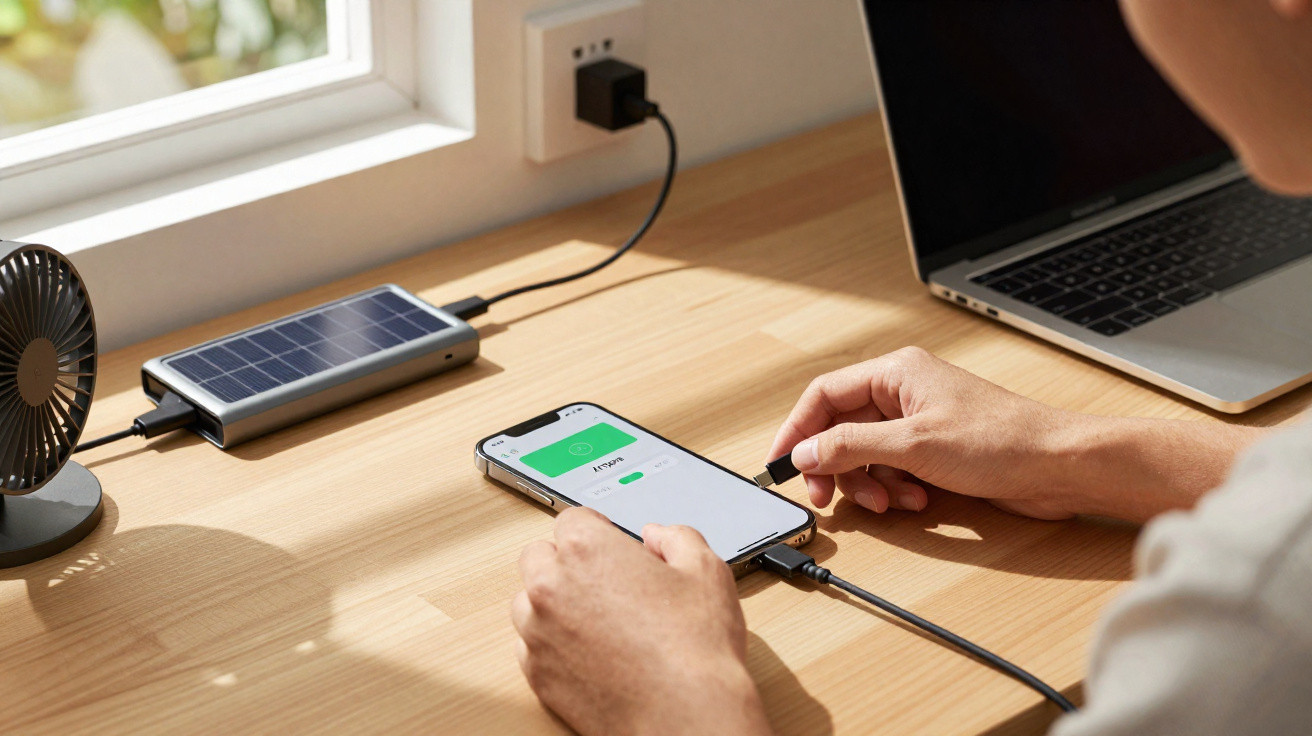
Modern phones contain plenty of protective circuitry, but they are still delicate electronics. A brief lapse of attention when connecting or disconnecting a charging cable can be enough to put strain on ports, encourage micro-cracks, or shorten a battery’s lifespan. By sticking to a few straightforward habits, you can noticeably cut the risk - with no specialist knowledge and without buying any new accessories.
The most important rule: get the plug-in order right
A lot of people pick up the cable, plug the charger into the wall first, and only then push the USB or Lightning connector into the phone. It feels sensible, yet from a technical point of view it is not ideal. At that point, voltage may already be present at the free connector before the contact is properly seated.
"Experts recommend: plug the cable into the smartphone first, then plug the mains adapter into the socket or extension lead."
The explanation is simple: when you plug things in, brief voltage spikes and tiny sparks can occur - so-called bounce effects. If these happen directly at the phone’s open charging port, they can lead to gradual contact wear over time. The risk is higher with cheaper power adapters that do not regulate voltage cleanly.
Why this order is better
If you connect the small plug to the phone first, the physical contact is made while there is no mains supply applied yet. Only after you then plug the adapter into the socket does power build up in a more controlled way. That reduces strain on:
- the contacts inside the smartphone’s charging port
- the device’s charge controller
- the cable itself when it is plugged in and unplugged frequently
This small difference becomes more noticeable over time, especially on phones where the port is already slightly loose, or on models that often show up in repair reports due to charging faults.
The correct order matters when unplugging too
The second common mistake happens when disconnecting: many people start by wiggling the connector at the phone and pulling it out while the charger is still live in the socket. Again, tiny sparks and voltage spikes can occur at the phone’s delicate connector.
"A handy rule for everyday use: unplug the charger from the socket first, then disconnect the cable from the phone."
That way you cut the power before you pull on the sensitive connector at the handset. It not only reduces electrical stress, but also lowers the chance that, in a rush, you yank at an angle and mechanically damage the port.
The ideal way to do it
- Finished charging? First, pull the mains adapter plug out of the socket.
- Then remove the cable from the phone by holding the connector housing (not the cable itself).
- Store the cable dry and with no tension, and do not trap it under furniture.
In principle, this order applies to all cable-based charging setups: standard wall chargers, extension leads with USB ports, and even power banks when they themselves are connected to the mains.
How apps like "Ampere" can help while charging
Many people feel their phone is "somehow charging more slowly than it used to" or notice it getting unusually warm during charging. On Android devices, diagnostic apps can help you investigate. One example is the app "Ampere".
Tools like this estimate the charging current and indicate whether the device is actually charging, how high the current charging power is, and whether the phone is heating up significantly. That makes it quick to check whether:
- the power adapter is too weak or shows signs of failure,
- a cable has intermittent contact or internal breaks,
- a case is restricting heat dissipation too much,
- background apps are heavily draining the battery at the same time.
If charging performance is clearly better with an alternative cable or adapter, that strongly suggests worn or damaged hardware. Very often the issue is not the phone itself, but accessories that have already gone through tens of thousands of plug-in cycles.
What else can harm a phone during charging
The plug-in and unplug order is only one part of the picture. If you want to look after your battery over the long term, consider these points as well:
Avoid leaving it fully charged all the time
Many people leave their phone on charge all night, often sitting at 100 percent. Over the long run, lithium-ion batteries do not particularly like that. They tend to be happiest somewhere between about 20 and 80 percent. That does not mean you must never charge to full, but keeping it permanently at “full throttle” is not ideal over time.
Heat is the battery’s biggest enemy
Most phones manage their temperature automatically, but extreme conditions still cause harm. Typical mistakes include:
- putting the phone under a pillow or duvet while it is charging,
- leaving it in direct sunlight by a car window while a fast charger is connected,
- charging on soft surfaces that trap heat.
A battery ages much faster if it frequently reaches over 40 to 45 degrees Celsius. If you notice the device becoming uncomfortably hot while charging, let it cool down, remove the case, and check whether a different adapter might be sufficient.
Fast charging, power banks and solar panels: what applies here?
Fast-charging features from manufacturers such as Samsung, Xiaomi or Apple can put a lot of energy into the battery in a short time. That is convenient, but it places the system under more stress than slower charging.
| Charging method | Benefit | Risk |
|---|---|---|
| Standard mains adapter | Gentler on the battery, less heat | Slower charging |
| Fast charger | Battery filled significantly in a short time | More heat, stronger ageing over time |
| Power bank | Flexible charging on the go | Cheap models deliver unstable voltage |
| Solar panel | Charging away from a socket | Output varies heavily with clouds and shade |
If you use a solar panel, for example when camping, avoid connecting the phone directly to the panel when clouds keep moving across the sun. A buffer is better - for instance, placing a power bank between the solar module and the smartphone. It can smooth out voltage spikes and dips.
How to recognise a damaged charging port
A worn or compromised port usually gives you warning signs. Common symptoms include:
- The cable feels loose and comes out with only a slight pull.
- Charging only starts if you press the connector in a particular direction.
- The phone briefly disconnects when you move it.
- Metal parts in the port look discoloured or scorched.
In cases like these, a new power adapter will not help. A repair shop can often replace the port relatively cheaply. If you then follow the correct order for plugging in and unplugging, you can significantly extend the life of the new part.
Practical everyday tips for gentler charging
A few simple routines can prevent a lot of hassle. Useful approaches include:
- Keep several charging cables at your usual spots so you are not constantly “jamming something in” in a hurry.
- When you upgrade your phone, get rid of outdated, wobbly adapters.
- Do not bend cables sharply or trap them under chair legs - that leads to micro-fractures.
- Always grip the connector housing firmly; never pull on the cable.
Because most people use their smartphone every day, these habits are easy to internalise. Once they become routine, they take almost no extra time, yet they can save money and frustration - and potentially delay the next battery replacement.
A lot of damage is not caused by one big mistake, but by small stresses that build up over months and years. That is exactly why it is worth pausing for a moment next time you charge: cable into the phone first, then into the socket - and remove it again in the opposite order. This simple routine acts like an insurance policy for the battery, the charging port and the cable.





Comments
No comments yet. Be the first to comment!
Leave a Comment