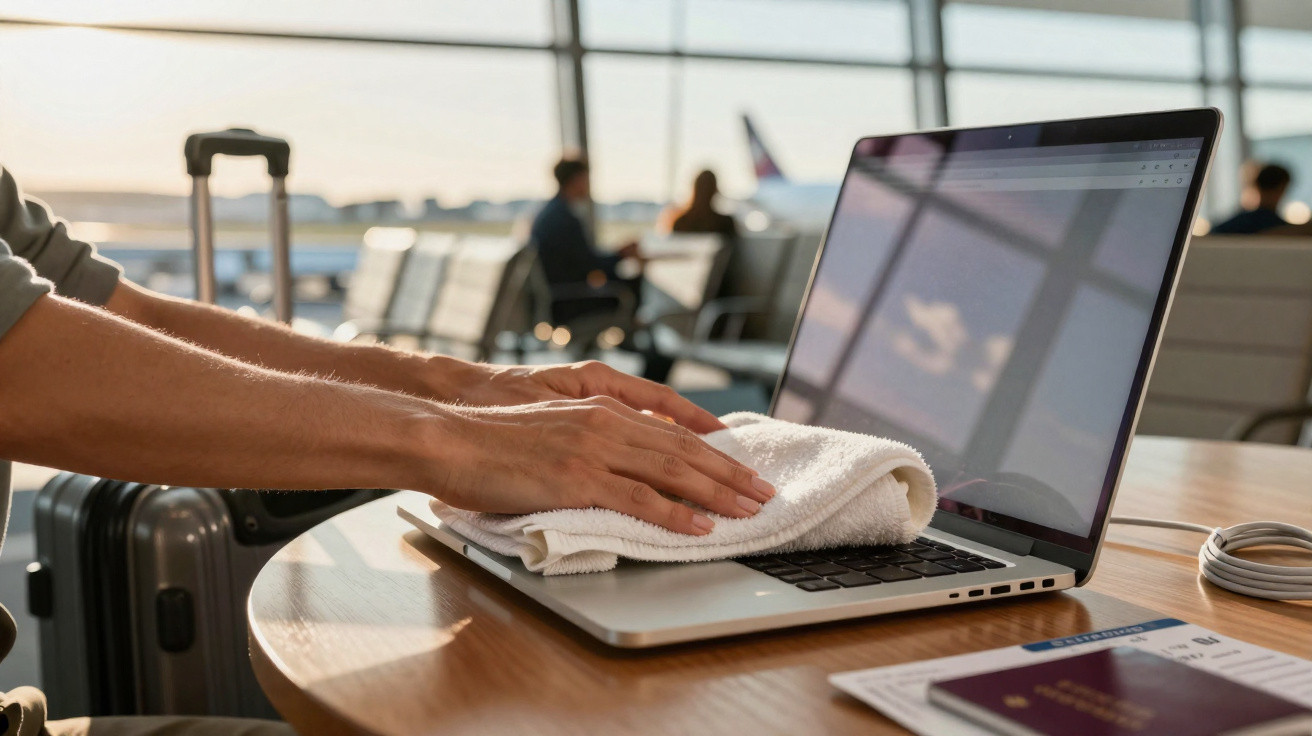
The usual offender is not your bag or the security trays at the airport. More often, it is your own keyboard pushing against the display. There is a simple, low-tech solution that receives very little attention - and it certainly does not arrive in premium packaging.
At 5:42 a.m., the terminal lighting felt especially unforgiving. When I pulled my laptop from my backpack, the familiar pattern was there: smears and pale key-shaped marks across the glass. A week of hotel air conditioning and cabin pressure had left a trail over my screen that I had never wanted. Two seats away, a man opened an immaculate laptop before slipping a small hotel towel back into his bag, as though completing a magic act. He noticed me looking and simply shrugged. One small routine, a major result. Better still, it protects against more than fingerprints.
The hidden threat to laptop screens while travelling
Laptop keys sit slightly proud of the keyboard, while modern screens close only millimetres above them. Squeeze both together inside a backpack and the result can be tiny abrasions, transferred skin oil and those puzzling rectangular marks. On humid journeys, or when moving from cold to warm conditions, a trace of condensation can collect near the hinge before touching the glass. That is how permanent clouding can begin.
I once met a wedding photographer in Cebu who travelled with two laptops. One showed a lasting grid of tiny specks, visible only in dark video footage. The other was as spotless as a fresh passport. He had not bought a more expensive case. Instead, he placed a thin microfibre towel over the keyboard before shutting the lid, every time. He adopted the habit after editing during the rainy season, when the air conditioning had dripped a little too much into his room. He has used it ever since.
The process is straightforward. The interior surfaces of a laptop collect oil from your hands, while movement introduces fine grit. Pressure presses them together. Then add a sharp temperature change - from taxi air conditioning to a tropical pavement, for example - and brief moisture forms, creating an ideal mixture for smearing and etching. A towel becomes both a sacrificial barrier and a wick. It absorbs tiny amounts of moisture, distributes pressure and stops the key edges striking the glass like miniature hammers. No app can repair a scarred panel. A £5 towel can often stop it happening.
How to use the laptop towel trick like an experienced traveller
Pick a thin, clean microfibre towel that is the same size as your keyboard, or a little larger. Before closing the laptop, position it flat across the keys and trackpad. Do not allow it to bunch up. Shut the lid carefully, then place the machine in its sleeve or bag. If you have just exported video or the chassis still feels warm, leave it to cool for a minute first. No specialist equipment, only a towel.
Avoid thick terry towels. In a tightly packed bag, they may push into the display from inside. Choose a cloth with the feel of a lens wipe, or one of the hotel ‘gym’ towels that resembles soft paper. On extended trips, swap in a clean towel every few days. When going from cold air into heat, leave the towel over the keyboard for thirty seconds before closing the laptop, allowing it to wick away any moisture first. Ideally, keep one in your hand luggage and another in your hotel room. Realistically, hardly anyone manages that every day.
There is also a safety consideration. Never wrap a switched-on laptop in a towel, as heat requires an escape route. If you are working on a bed or sofa, place the laptop on the towel folded flat as a mat rather than covering it like a blanket. Heat is the enemy of batteries and screens alike. The aim is to provide cushioning and manage moisture, not to insulate the device or muffle sound.
“The best travel protection is boring,” an airport IT manager told me. “A clean towel beats half the gadgets in the duty-free.”
- Choose microfibre rather than fluffy bath towels.
- Allow the laptop to cool before closing it with the towel inside.
- Wash or replace towels so that grit is not transferred.
- Never obstruct the vents while the laptop is operating.
- Combine the towel with a close-fitting sleeve to distribute pressure.
Why this laptop screen tip is overlooked - and useful beyond flying
We have all experienced a cleaner or an inquisitive toddler pressing the keyboard while we step out of the room. The towel quietly communicates ‘hands off’ and can also conceal an illuminated logo at night. On trains, it works as a desk mat, helping the laptop feet grip rather than slide. In cafés, it catches crumbs before they reach the keybed. A modest piece of fabric more than earns the room it takes up.
This advice seldom appears in technology guides for an obvious reason: it is not a product. It does not generate affiliate revenue, and it is hardly impressive in an unboxing video. Yet it addresses the three things travellers deal with every day: pressure, moisture and dirt. Between the keyboard and display, a towel discreetly manages all three. On an overnight flight, it can serve as a sleeve. At security, it keeps the laptop away from grimy trays. In a hotel room, fold it into a wedge beneath the rear of the machine to improve airflow while uploading files.
There is a psychological benefit as well. Establishing a small ritual before closing your laptop makes you pause long enough to prevent careless errors - such as throwing it into a bag beside a leaking water bottle. The towel creates a moment of attention. That brief pause might protect a project, a meeting or an entire week. If you want evidence, put one in your travel kit for a single journey. Monitor how often you clean the screen. Monitor your anxiety too. Both figures generally fall.
One modest habit, considerable peace of mind
Travel disrupts routines and tests patience. A towel gives back a small measure of control. It demands almost nothing, while offering a cleaner screen, a drier hinge and greater peace of mind. The next time you arrive somewhere humid, or move from freezing air conditioning into midday sunshine, you will have already created a protective buffer in your daily routine.
Use it for a week, then offer your spare towel to the person beside you who is cleaning their display with a sleeve. On the next flight, watch their reaction when the marks fail to appear. Perhaps the best technology advice is not technological at all. Perhaps it is simply the oldest travel principle: take what is practical, not what makes the most noise.
| Key point | Detail | Benefit for the reader |
|---|---|---|
| Thin towel over keyboard | Microfibre layer placed before closing the lid | Prevents key imprints, smudges and micro-scratches |
| Moisture and pressure control | Wicks away condensation and distributes pressure from bags | Keeps the display clear through climate changes and travel |
| Safe-use rules | Cool the laptop before closing; never cover vents when powered on | Protects hardware without creating overheating risks |








Comments
No comments yet. Be the first to comment!
Leave a Comment